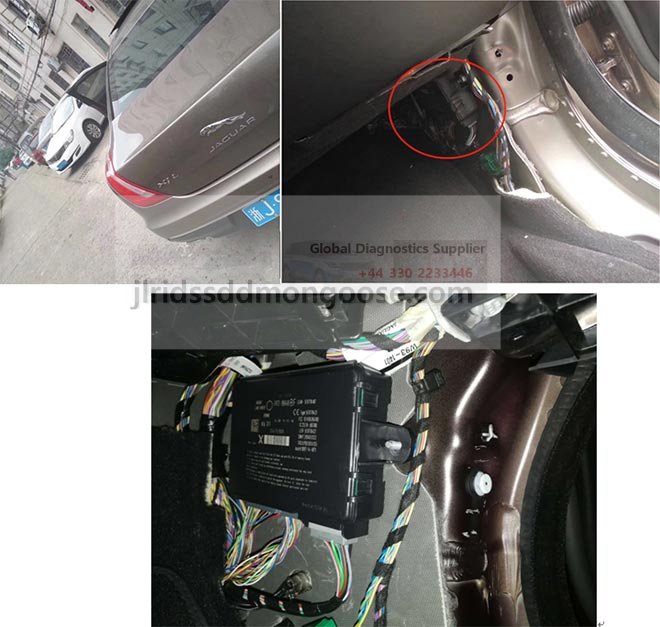
TOPIx Vehicle Diagnostics TOPIx Cloud Diagnostics Features + BCM Update from JLR info + Lock50 HW04

Now Soon we are to present to you a game changer Product that has been in Development for 2 Years.
Already You can Use Topix Cloud tools we supply to Make Keys and Apply Latest BCM Security Updates to your clients BCM and RFA till 23+ Vehicles.
Topix may require BCM or RFA and TCU Telematics Replacements depending the situation to be able to program keys.
People who posses JLR Prestige Vehicles are required to Visit the Dealer to get a new BCM Software update and RFA Update. Insurance companies in the UK and soon Worldwide are not willing to insure Vehicles that have not been been updated to this Latest Versions of Software for 2 of the Main Modules in the Car that are related to Keys and authorisation functions. Body Control Module and the Remote Function Actuator also know as keyless module or KVM in older Vehicles.
After this Latest Security has Been updated on JLR Vehicles in then u cannot make keys in other ways no more and all old Tools that did support these models cannot anymore once Updated unless u change the RFA. On Top the BCM is Locked in Topix For Further Programming and cant remove old Key ID from BCM.
BCM RFA + TCU will be locked for 2019 Vehicles soon as they all get updated in Topix.
Not To worry as we have other ways and can Still Unlock the BCM if u want to Change RFA and program new keys to a new RFA or better still dont Change any Module in the Car and use Lock50 HW04 option to add keys to cars with Latest BCM RFA Updates and even when the BCM is Locked and without Changing the RFA
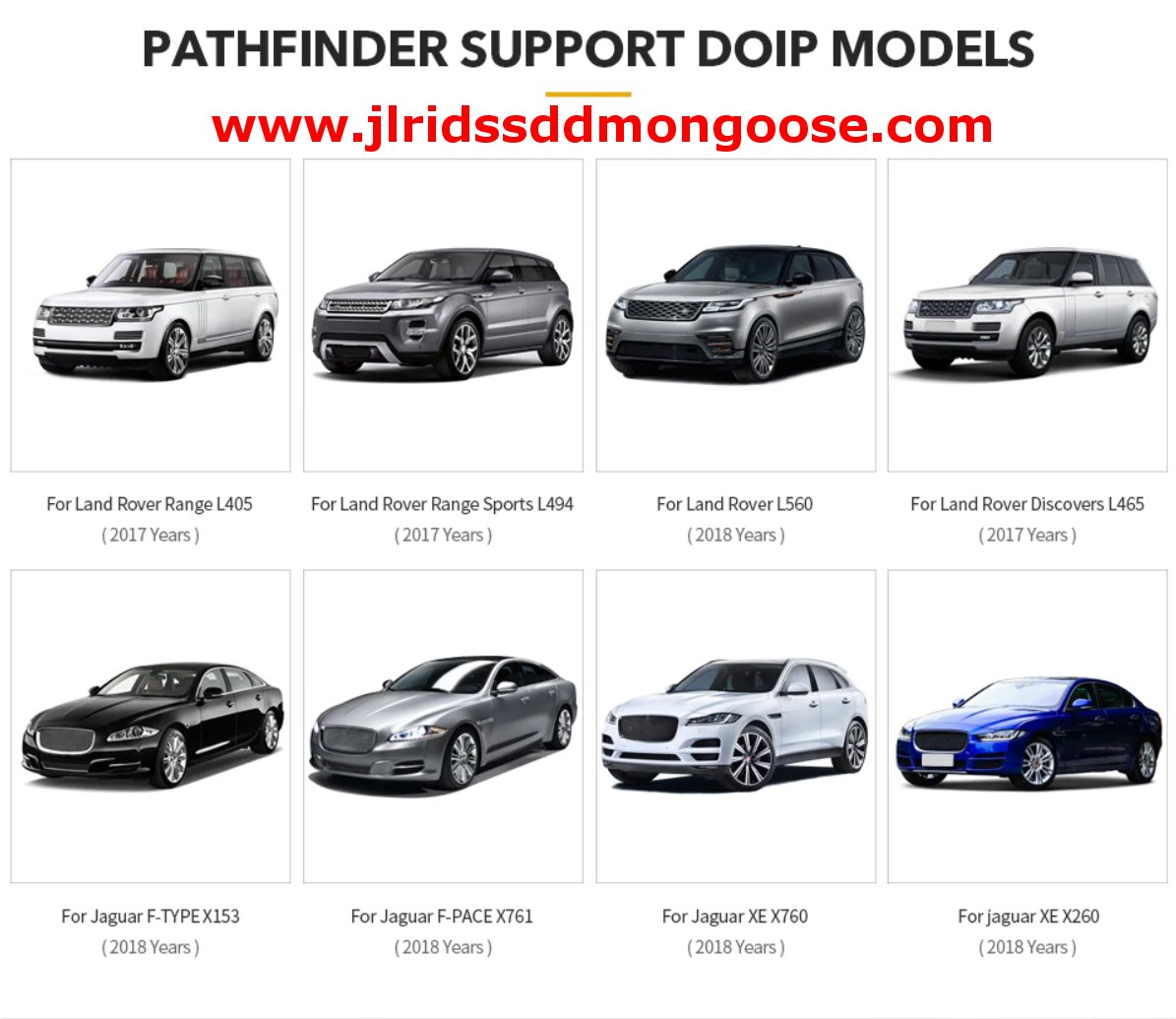
Soon the lock50 HW04 is out this Tool Allows add Change ID Keys in Minutes for 2017 to 2023+ without Module changes and can Program Normal OEM Keys with RFA Module Replacements and will make your life easier on all Variations of BCM and RFA Firmware's and even when when the Latest BCM update is applied.
The Lock50 HW04 will be the Only tool in the World that can claim to make a key even the BCM RFA and TCU are Locked and even when the Vehicle in Alarm state.
You not be aware but for USA or Canada Lock50 HW01 Transponder tool for JLR Keys is the only safe way to remove the Alarm from 2010 to 2023+ via RFA Mcu Dumps.
Soon the Rest of the World and USA & Canada Clients can Add keys and turn off the Alarm with the JLR Lock50 Hex Doctor HW04 Tool + HW03B Bench Adapter Kit Soon
Support all Keys Lost also when the BCM is in Alarm Mode & No need to Change RFA Modules when using Lock50 Range of Lock50 Change ID 2017+ Keys for use with HW04
NO KVM BCM TCU CHANGE REQUIRED WHEN USE OUR CHANGE ID OEM KEYS OR NON OEM KEYS
Make your Jobs Stress Free and Hassle FREE..
Don't worry if BCM and KVM and TCU is Locked Even.
Simply Plug in your Lock50 HW04 OBD Hex Doctor Tool in the Cars with 2017 to 2023+ Land Rover or Jaguar.
Plug in your Lock 50 HW01 Tag Pro Transponder Emulator Tool to the USB
Read the Info as below and Add your Special Lock50 OEM Change id Keys on the Lock50 HW01
Add Copy Key for Locked KVM Vehicles option or Choose ADD key for Unlocked KVMs
Ready to start Full Keyless Working + Emergency Start Supported with Lock50
Enter Service Mode... ok
Enter Security... ok
Enter Security2... ok
Read Keys...
Key0 - 3F4B16E6
Key1 - 263816E6
Read ISK... 3811AF22633000400050E6A0845E61
You need the
Lock50 HW04 OBD Tool + Lock50 HW01Transponder Copy tool for JLR + Special 2017+ Change ID Keys for non RFA Change and Normal OEM JLR Keys when changing RFA or for RFA that are not Locked like USA or Canada.
Note Licences for Updated Functions will be Added to Lock50 HW01 soon that work together with HW04
For Special Keys that work with Lock50 please see options here
Special Lock50 OEM PEPS Originals keys also Available here
TOPIx New Features
Showcasing the latest key features for TOPIx.

TOPIx WORKFLOW – Maintenance, PDI & OSH, Fault and Breakdown
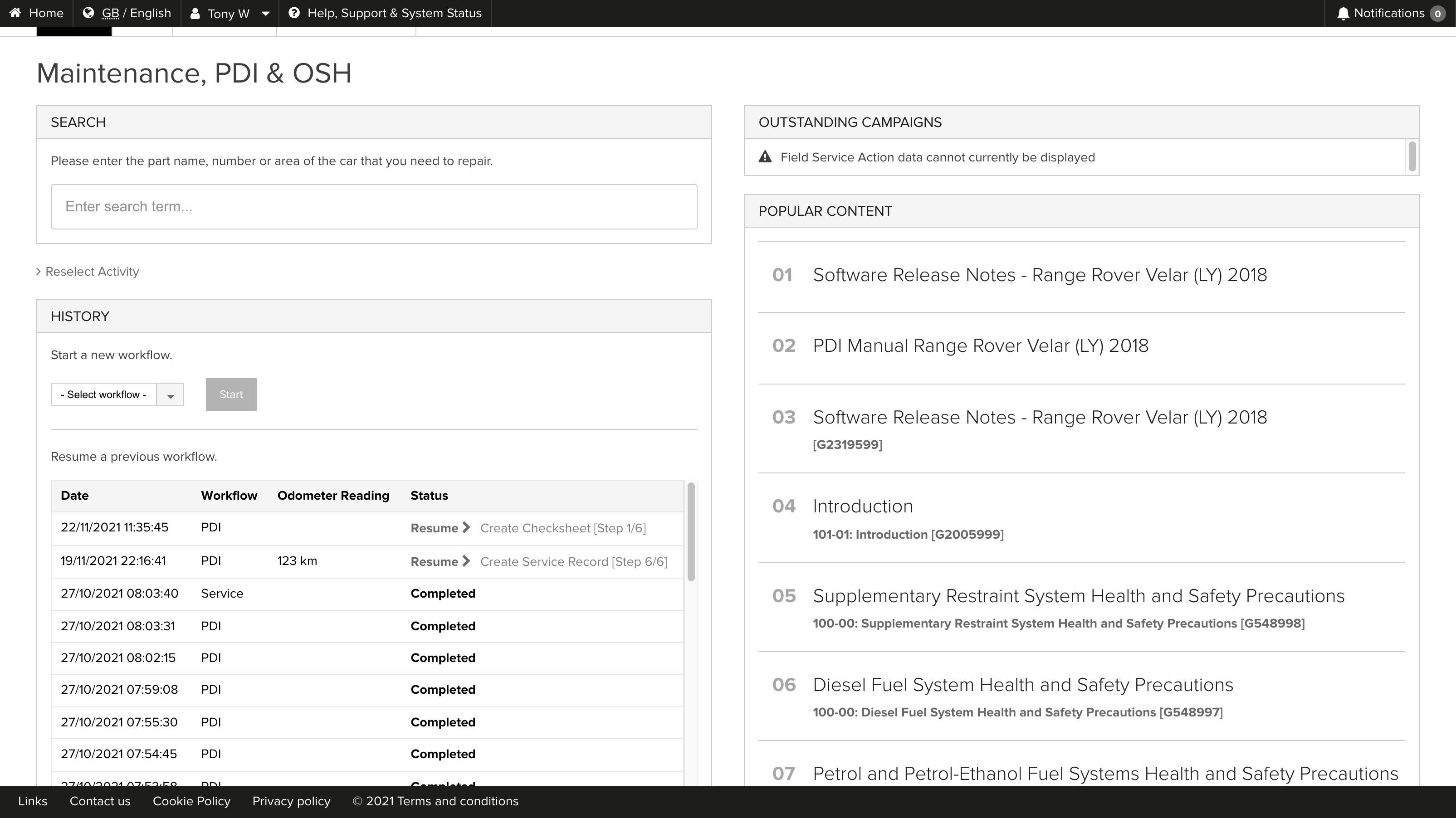
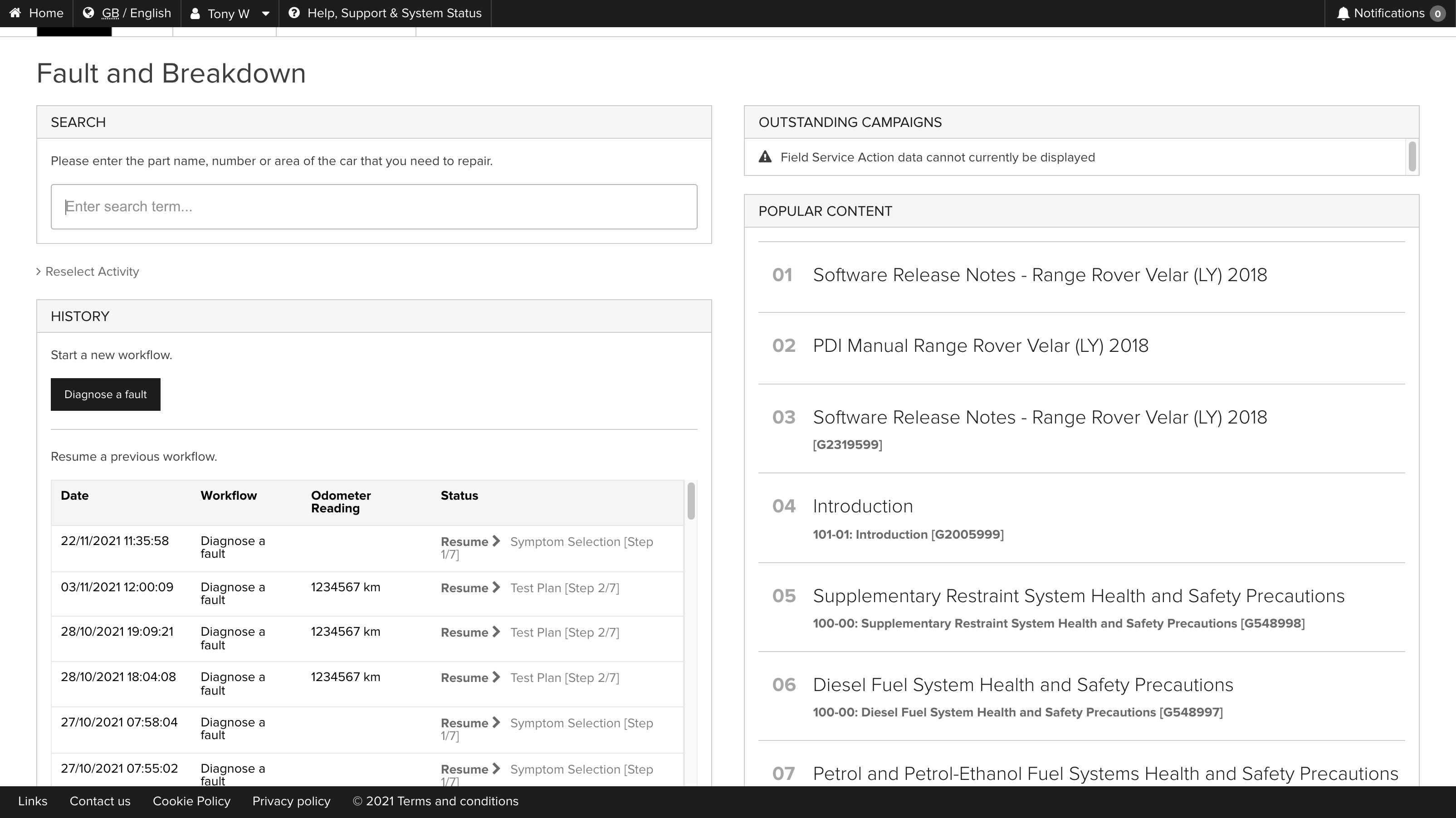
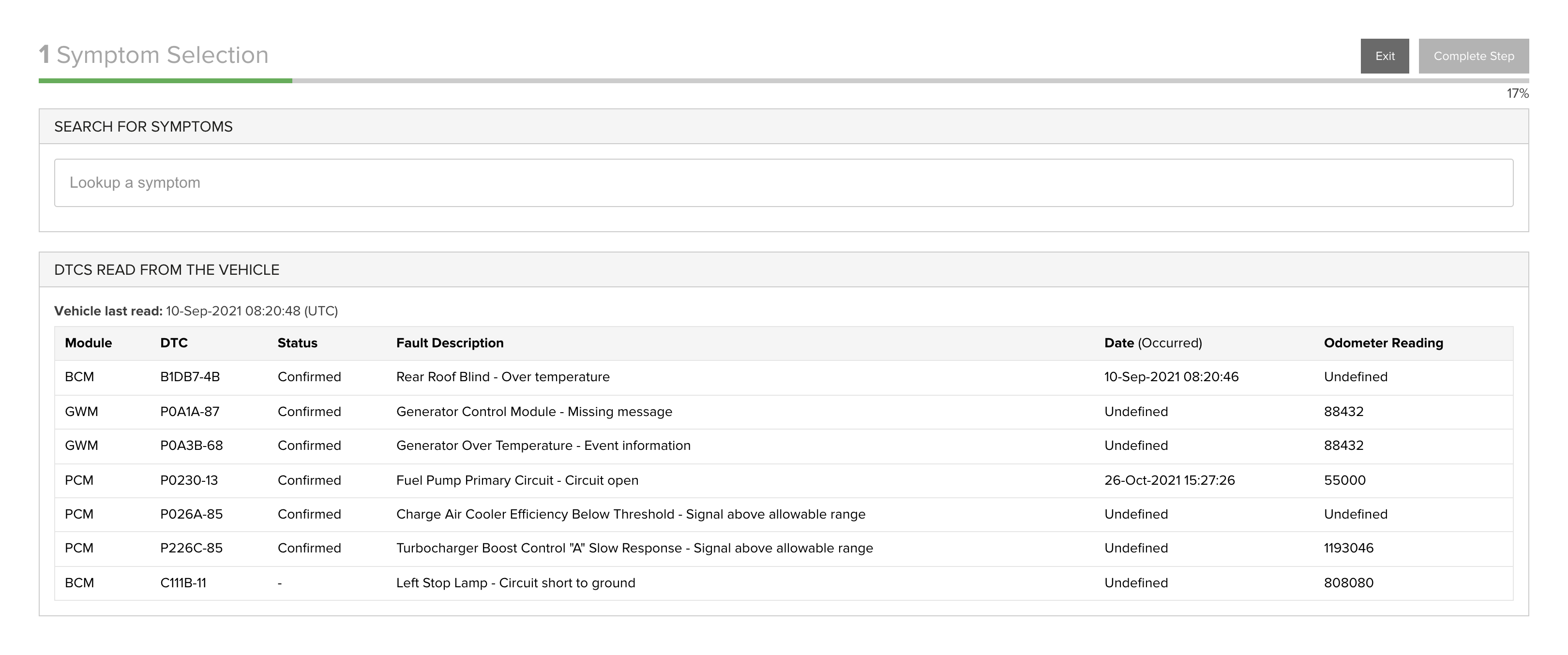
The new TOPIx ‘Workflow’ functionality can be used to perform Pre-Delivery Inspections (PDI), Vehicle Service, or Fault & Breakdown investigations.
Workflows performed though TOPIx can be seen In the ACTIVITY HISTORY. In addition a workflow that has previously been started can be resumed from the HISTORY.
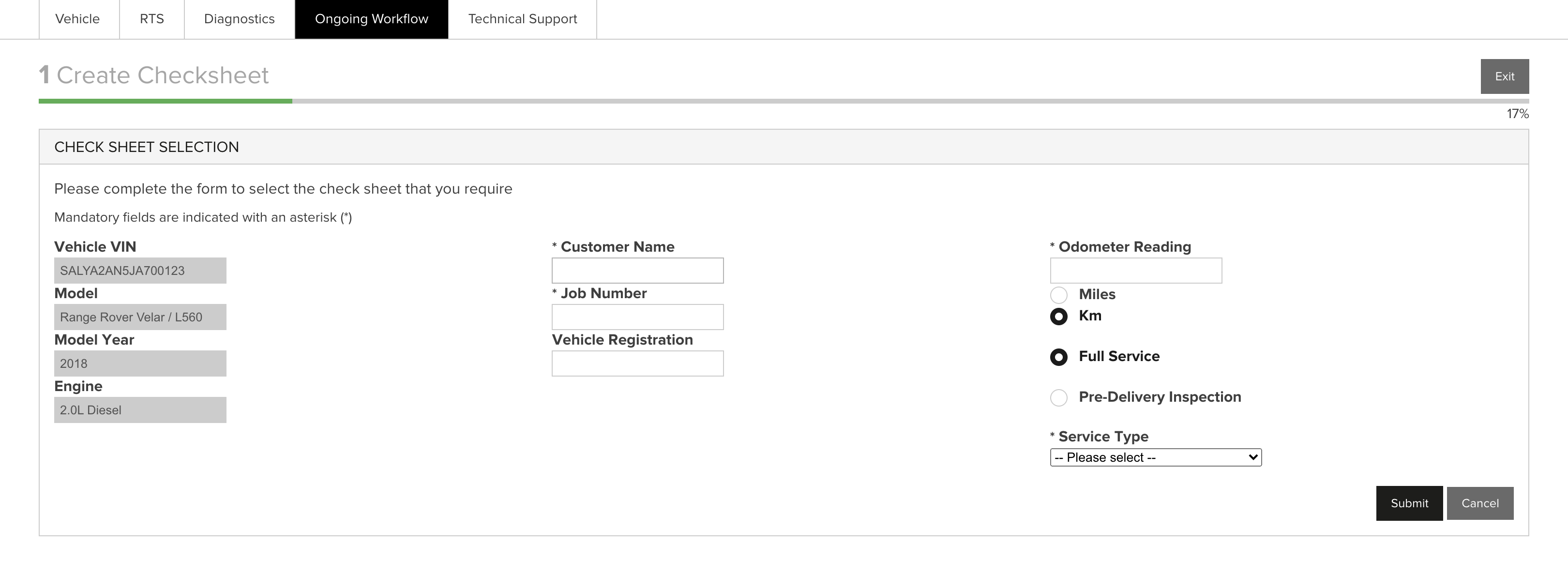
- The Pre-Delivery Inspection workflow provides a checklist, workshop instructions, the PDI app, ending with the creation of the OSH record. This is offered as a unified workflow, without having to navigate within, or outside of TOPIx.
- Service workflow guides the technician through a checklist, service interval reset, and into OSH to create an end to end service record.
- The Fault & Breakdown workflow guides the technician through symptoms and component selection, offering testing scenarios, and suggested repairs.
Workflow efficiencies include prepopulated Vehicle and VIN. When used with connected vehicles through TOPIx Diagnostics, workflow provides the tools a technician needs in one place, such as running an Automatic Network Test, to include enhanced vehicle data such as DTC’s, and software versions.
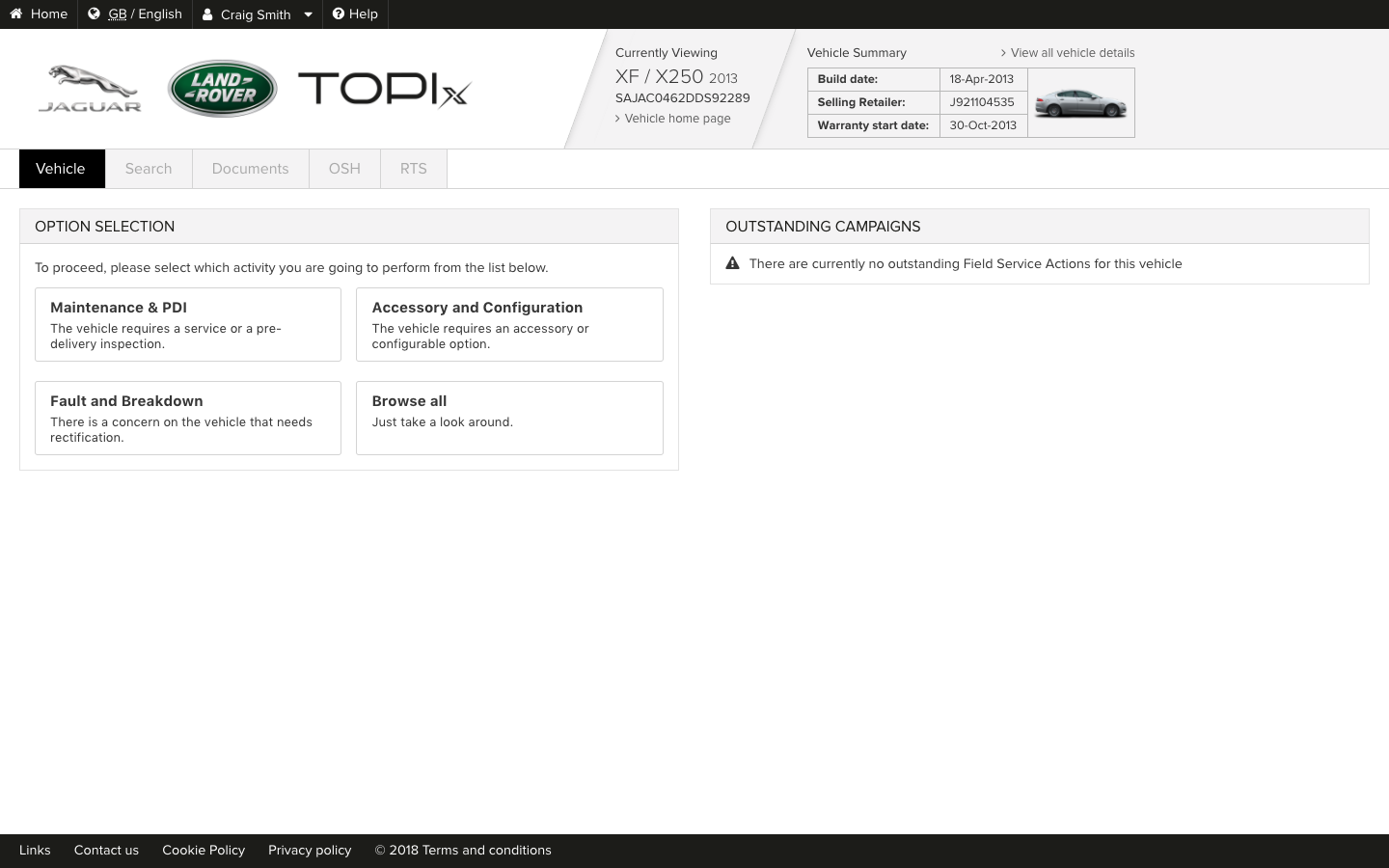
To find workflow on TOPIx enter a VIN, or select a vehicle from the vehicle park, and select either Maintenance, PDI & OSH or Fault and Breakdown from the OPTION SELECTION.
Key Features
- Trigger a new workflow - Maintenance, PDI & OSH, Fault and Breakdown
- View TOPIx workflow history
- Resume an incomplete workflow
- Link to TOPIx Cloud Diagnostics
- Displays data from a connected vehicle
- Create events record of activities against a VIN

Technical Support
Showcasing the latest key features for Technical Support
Raising Technical Support Requests through TOPIx
We are pleased to announce the addition of the FRED submission process to the TOPIx Technical Support area.
Technical Support allows a technician to make requests directly from TOPIx for:
- Technical Assistance (TA)
- EPQR
- FRED prior approval
- Diagnostics
- Special Tools
- Owners Handbook
There is now no need to log into GCM, making the process to raise and submit a Technical Support request easier.
The Technical Support TOPIx full screen view has also been launched, alongside system improvements such as enhanced text formatting in the Comments and Diagnosis fields, providing an improved user experience. Progress updates will be visible directly from the Technical Support intray in TOPIx, including a history of interactions and status, which can be referred to at any time.

Key Features
- Technical Support requests can be submitted within TOPIx
- Existing Technical Support requests can be tracked and managed within the TOPIx Technical Support Intray
- The correct level of repair required to achieve a ‘right first time’ fix, can be confirmed without having to navigate away from TOPIx
- New full screen view of Technical Support within TOPIx – FRED, ePQR, TA, Diagnostic, Special Tools, Handbook Concerns
- Enhanced text formatting, bullets and numbering in the Comments and Diagnosis fields

How to Use
How to raise a Technical Support request or view the Intray from TOPIx:
- Select a VIN, or vehicle from vehicle park
- Select any of the options in OPTION SELECTION
- Select ‘Technical Support’ tab to view the Technical Support Intray
- Select one of the Technical Support tabs (Technical Assistance (TA) / EPQR / FRED / Diagnostics / Special Tools / Owners Handbook Reports) to raise a new Technical Support request (a VIN must be in session)
Electrical Wiring Diagrams (iEWD)
Showcasing the latest key features for Electrical Wiring Diagrams (iEWD)
Electrical Wiring Diagrams (iEWD)
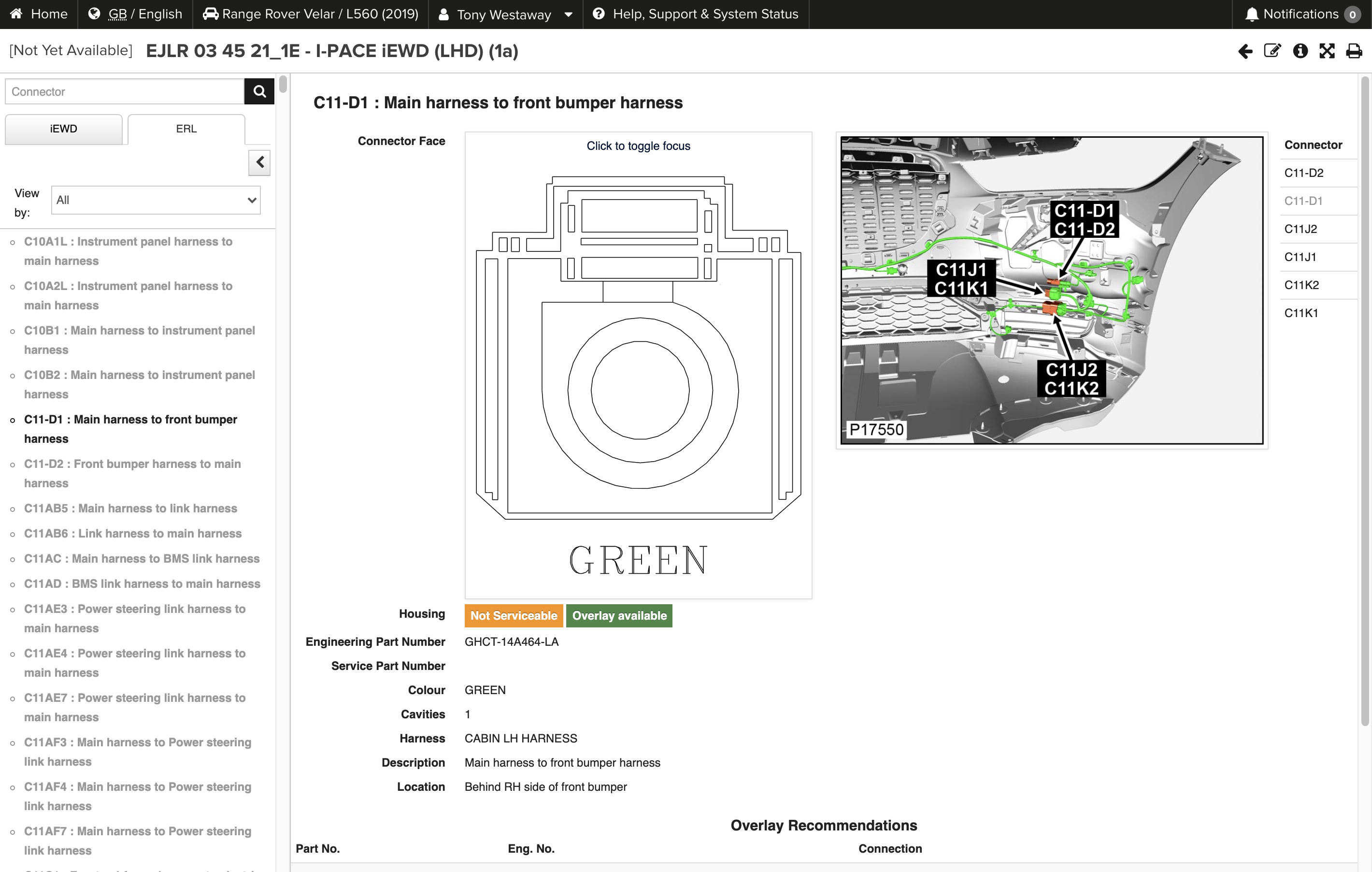
The Electrical Reference Library (ERL) is being integrated into the Interactive Electrical Wiring Diagram (iEWD) in TOPIx. Without closing the iEWD you can search in the ERL tab to quickly find information for your diagnosis or repair.
The search has been improved to filter the ERL information by text or reference.
All vehicles supported by iEWDs will no longer have a separate Electrical Reference Library (ERL) publication.
The document has a View By filter of connectors for Ground, Inline, Module or Component.
If a connector is not serviceable but overlays are available TOPIx displays a Green flag ‘Overlay Available’ and displays a list of Overlay recommendations in a table below.
Key Features
- Display against a connector if a lower-level assembly (LLA) Overlay is available
- Combined iEWD/ERL – one location for electrical information
- Text and reference search function integrated within the ERL tab
- Filtering of connectors by Ground, Inline, Module or Component


TOPIx Vehicle Diagnostics
Showcasing the latest key features for Vehicle Diagnostics
TOPIx Vehicle Diagnostics
TOPIx Cloud Diagnostics can directly connect to 17MY vehicles onwards to run Vehicle Diagnostics. TOPIx Diagnostic Device Agent (DDA) must be installed for the diagnostics to run.
The Diagnostic Device Agent synchronises with TOPIx to display data from the connected vehicle, and features and functions of Jaguar Land Rover approved diagnostic tools.
Login to TOPIx through the DDA, and connect a vehicle through a Vehicle Communication Interface (VCI).
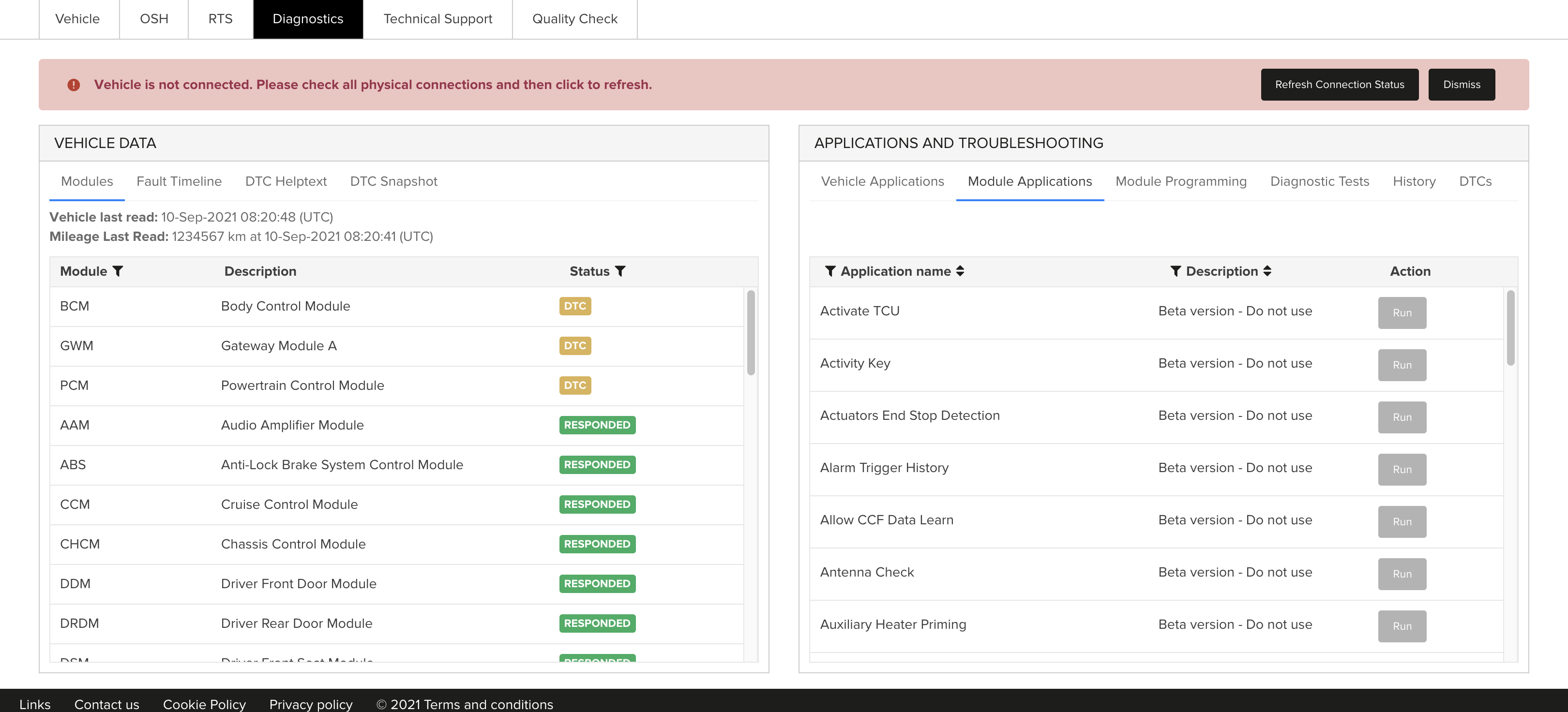
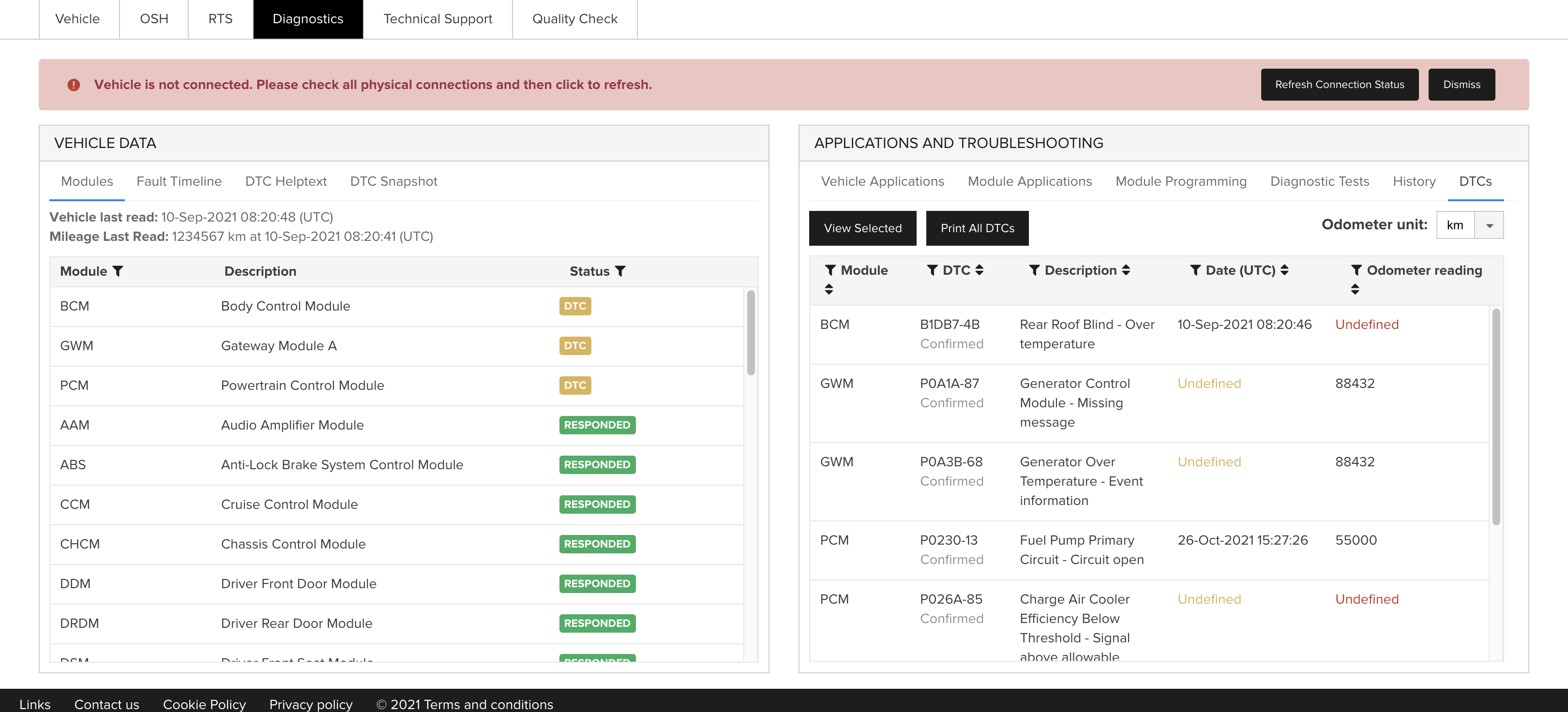
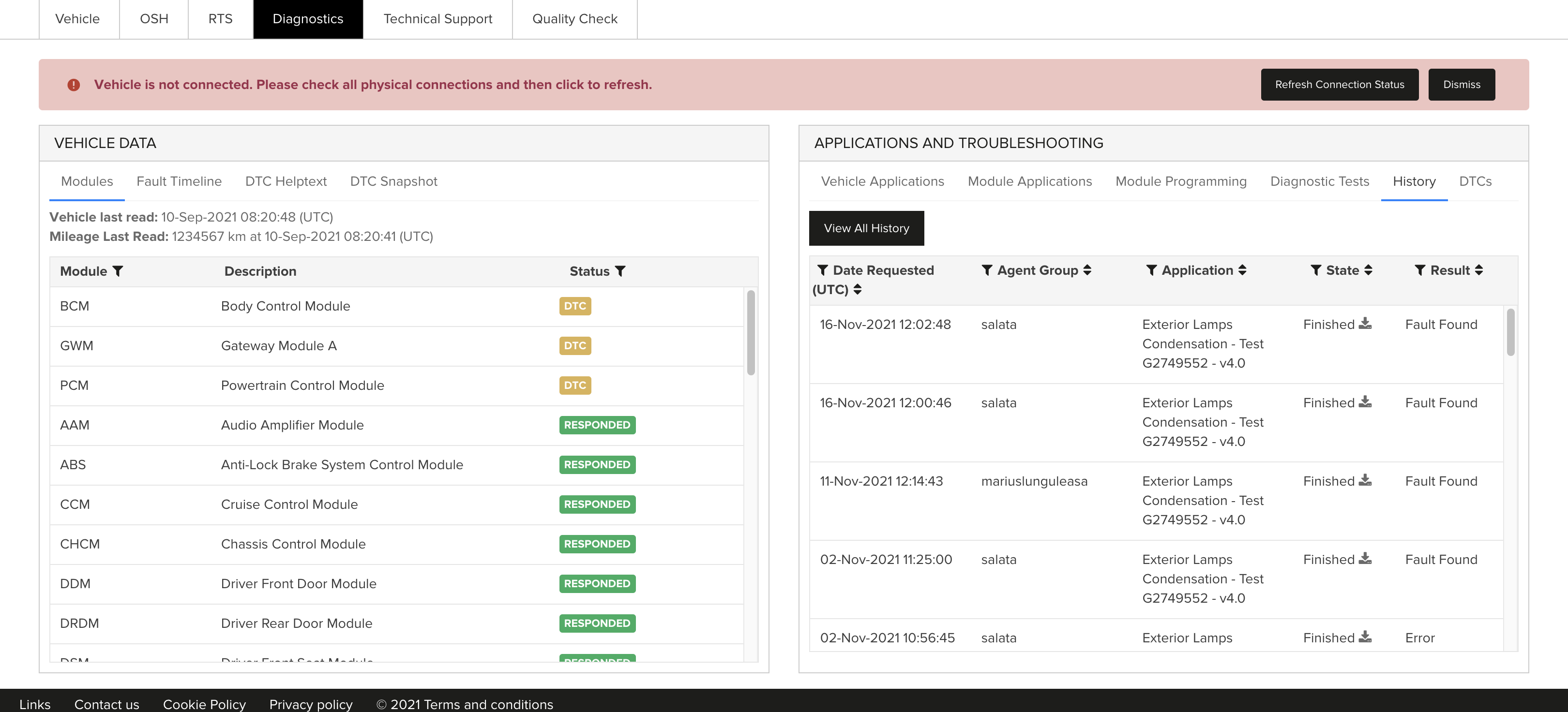
The ‘VEHICLE DATA panel provides a summary of the vehicle’s module status; Green no DTC, Amber DTC stored, Red NO RESPONSE. The occurrence of DTC’s are displayed in the ‘Fault Timeline’ referencing a date and time for each event.
Vehicle Applications - toolbox displays generic vehicle applications such as a Network Integrity Test, Pre-Delivery Inspection and Service Message Reset.
Module Applications - shows applications available for a specific module (known as ECU Diagnostics in Pathfinder).
History - the VIN ‘History’ toolbox displays previous activities against the vehicle, shows the history of what has been ran on a vehicle and its outcome when connected to TOPIx Cloud Diagnostics on one or more sessions.
DTC’s - The ‘DTC’ toolbox displays DTC codes, descriptions, timestamps and odometer value.
Key Features
- New History Tab in TOPIx
- Print ‘All DTC’ as a report
- Not necessary to filter through Diagnostic Trouble Codes (DTC)


Installing TOPIx Cloud Diagnostics
TOPIx Cloud Diagnostics can directly connect to 17MY vehicles onwards. As an integrated diagnostic cloud-based tool TOPIx Diagnostics is always up-to-date, removing the need for constant software installations or updates.
To use TOPIx Cloud Diagnostics the Technician needs to perform a one-time installation of the TOPIx Diagnostic Device Agent (DDA) on their laptop. The download link is accessed from the TOPIx Links page.
Login to TOPIx through the DDA, and connect a vehicle through a Vehicle Communication Interface (VCI). The Network Integrity Test will automatically start. Select the Diagnostics tab.
If not connected to a vehicle diagnostic tests can still be run by enter a vin on the home page, or select a vehicle from the vehicle park. Select Fault and Breakdown, and the Diagnostics Tab.
Key Features
- Download the Diagnostic Device Agent (DDA) from the TOPIx Links page
- Toolbox, login /navigate to toolbox, connect vehicle
- Over time these will consolidate all existing diagnostic routes, reducing confusion, unnecessary repairs and wasted time

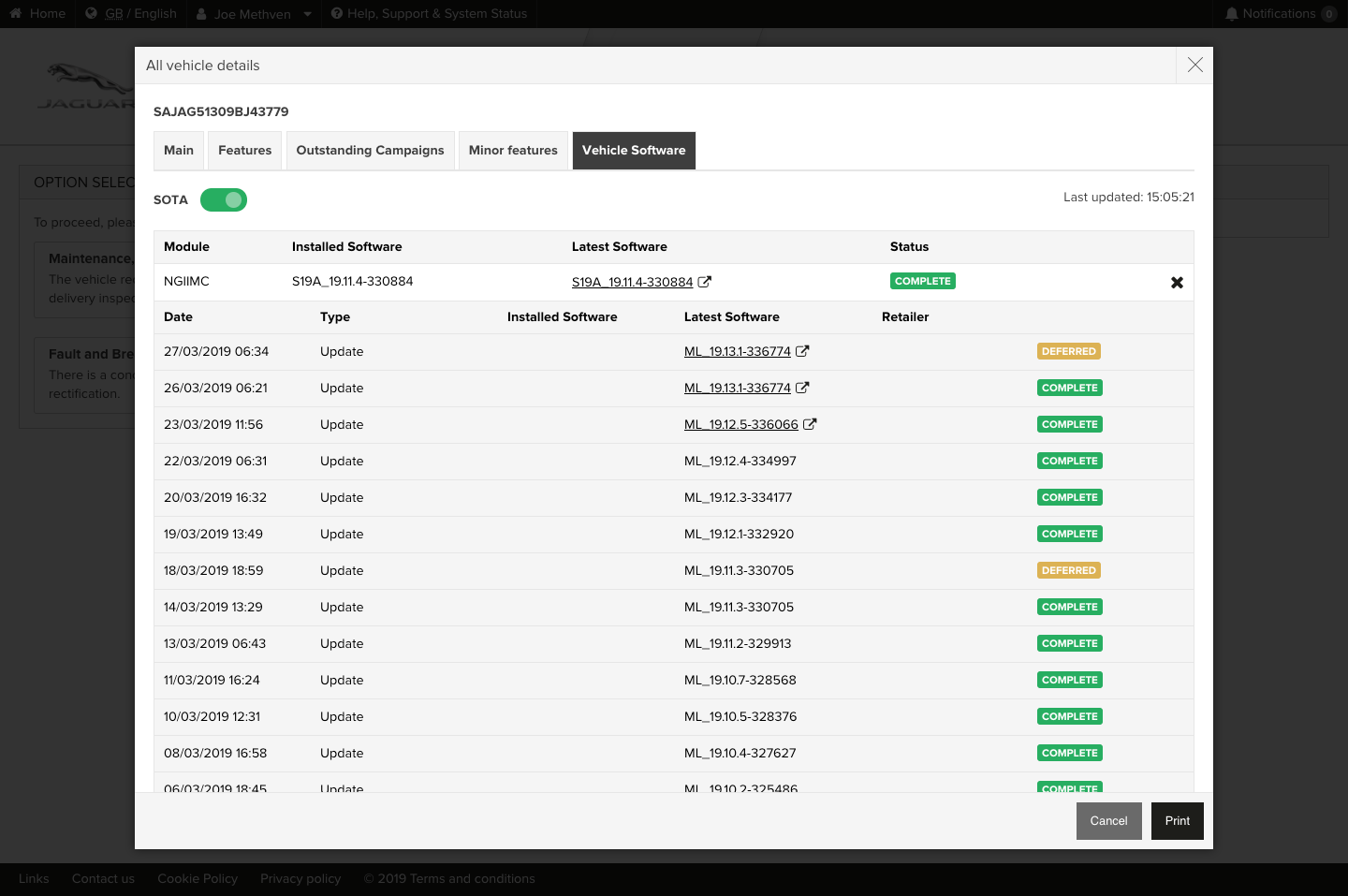
SOTA Enhancements for L663
Showcasing the latest key features for SOTA
SOTA Enhancements for L663
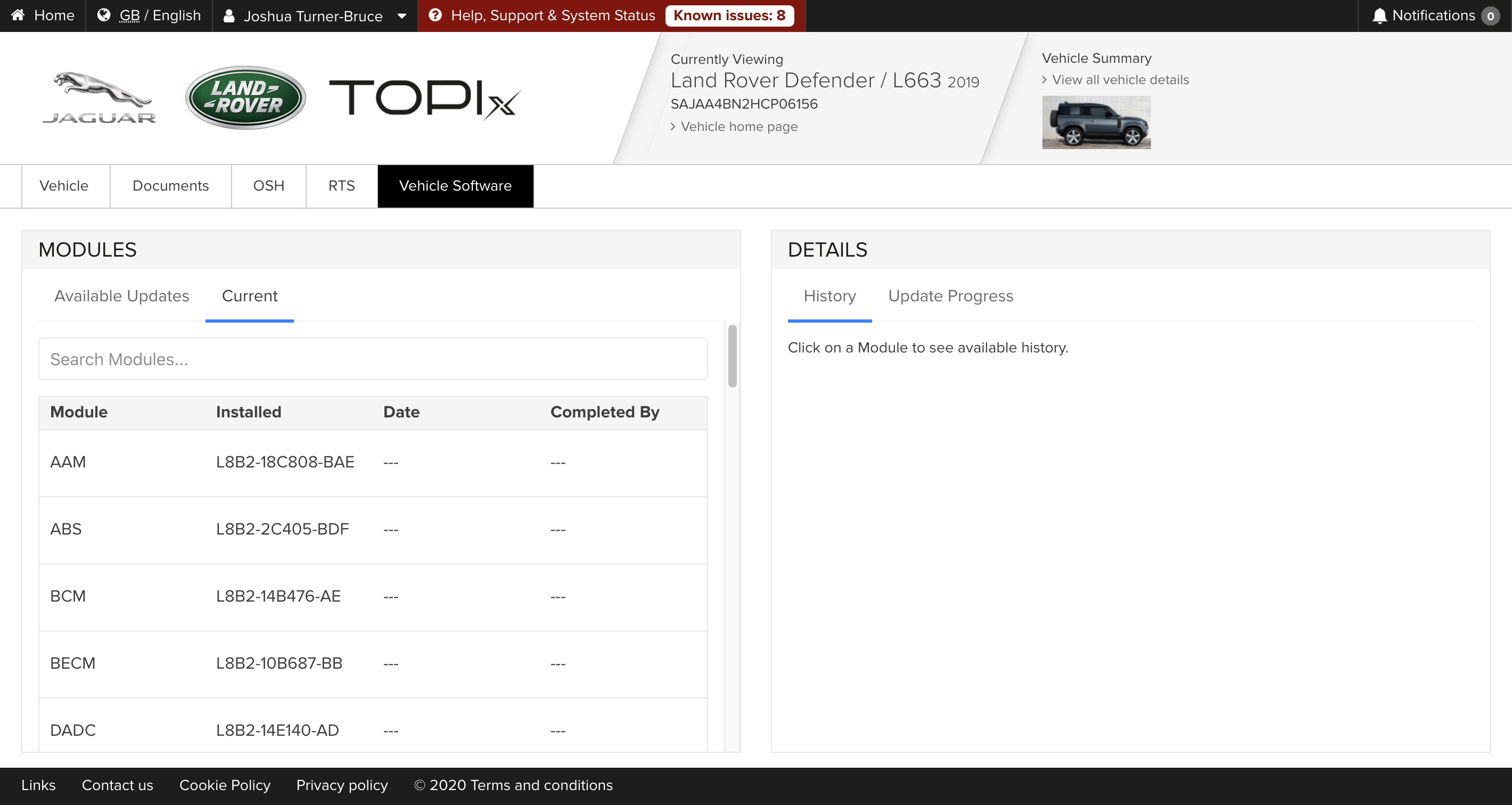
The new, technologically advanced Defender comes with Electric Vehicle Architecture 2 (EVA2). This platform enables more vehicle modules to be updated by wireless software updates. Our scope for future updates will be broadened, ensuring our vehicles are always using the latest software.
The latest TOPIx update to support SOTA for EVA2 will enable the following:
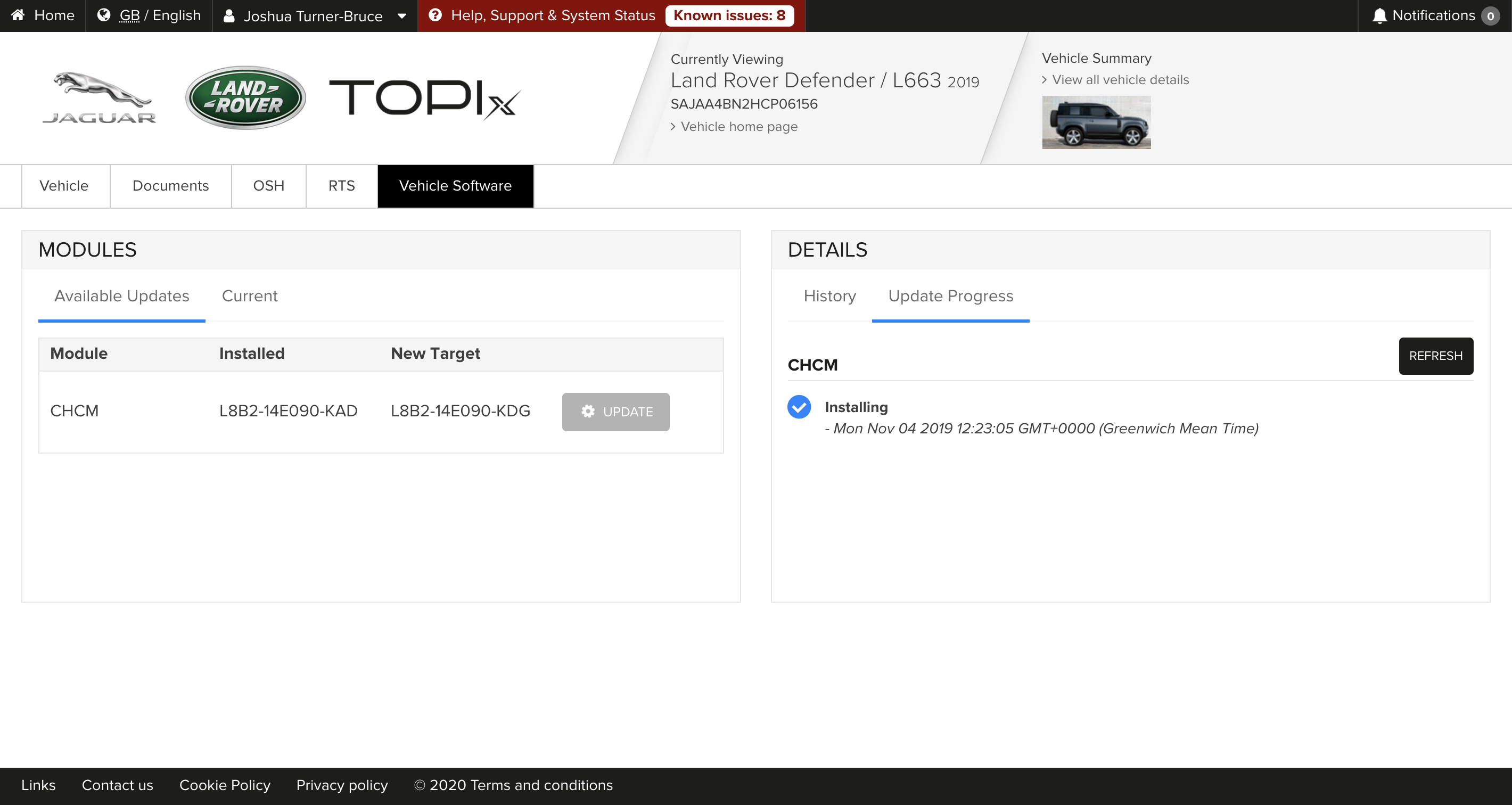
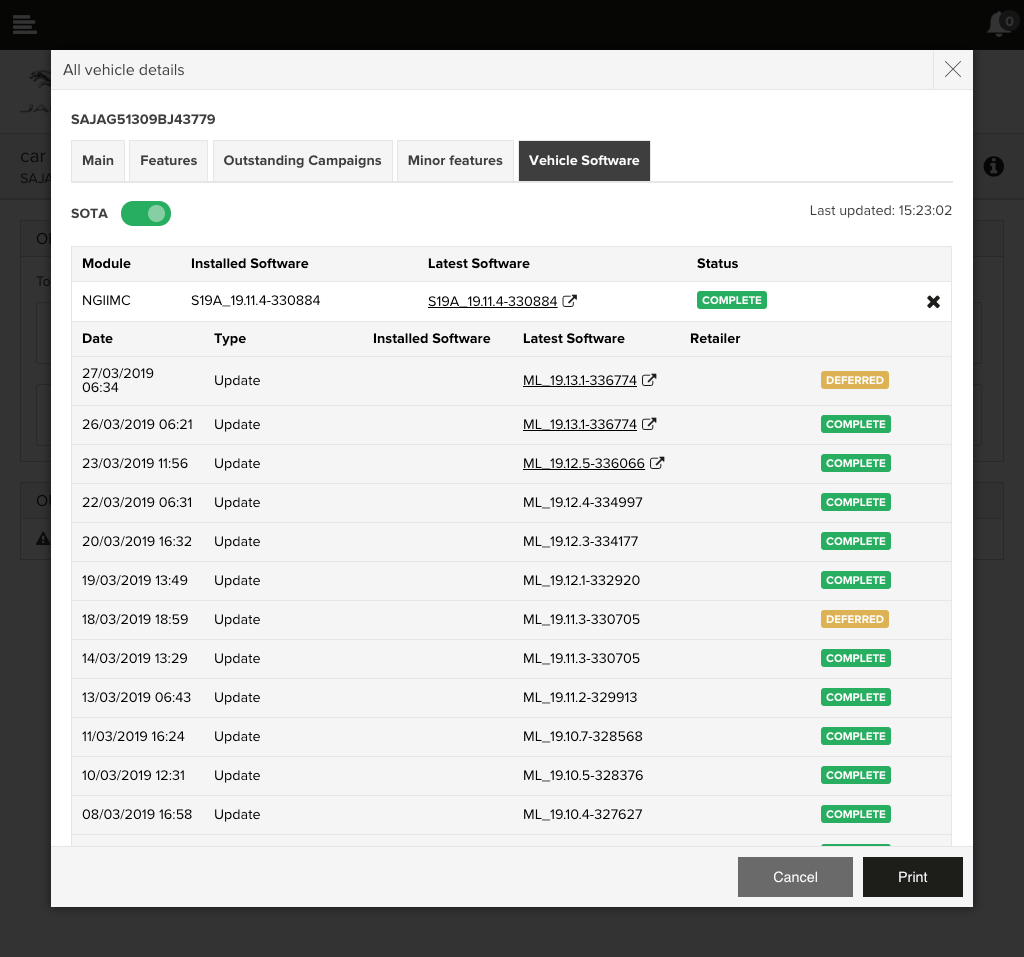
- All SOTA updates will now be displayed on one simple screen
- Updates can easily be triggered by a technician at the click of a button
- Live, real-time progress views of software updates
- Full history view of all previous SOTA updates on a vehicle
Key benefits for Customers
- Convenience - Customers can receive important updates on-the-go without a Retailer visit
- Simplicity - Updates are received through the vehicle's touchscreen with a clear and simple process for customers
- Excitement - Customers can receive new features for their vehicles directly over-the-air
- Choice - Customers can schedule the update to be performed at a time that suits them
Key benefits for Retailers
- Always up-to-date – More vehicle modules can now receive software updates wirelessly, ensuring customer vehicles remain at peak performance
- Capacity – Reduced capacity impact on Retailers due to proactive updates



Technical Assistance (TA)
Showcasing the latest key features for Technical Assistance (TA)

Technical Assistance (TA)
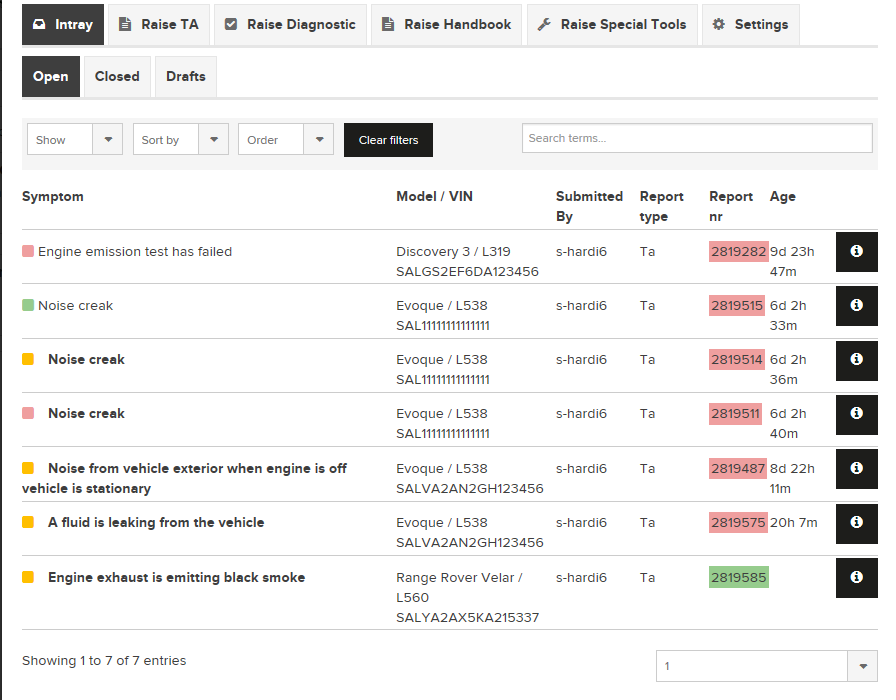
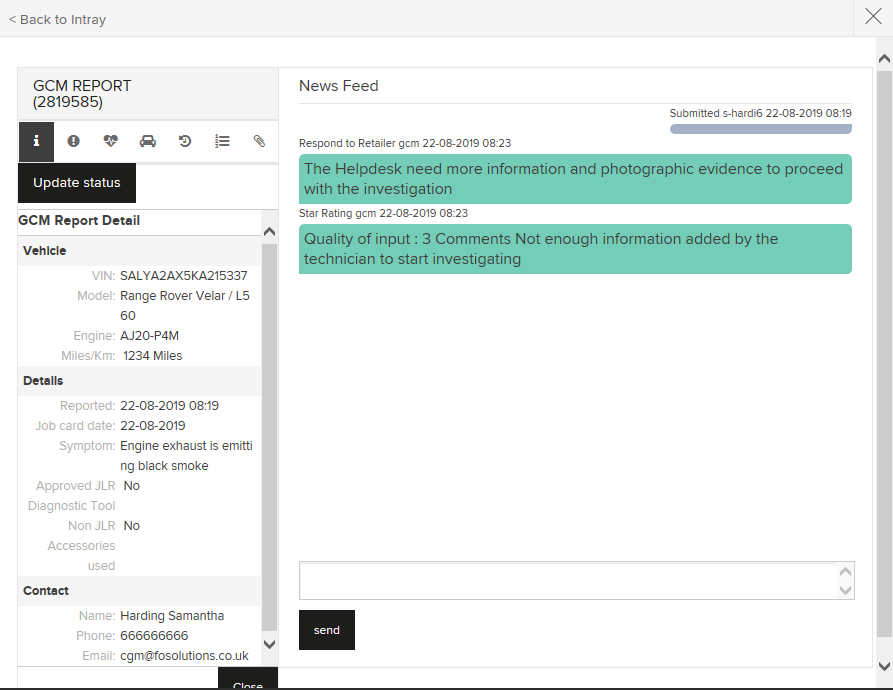
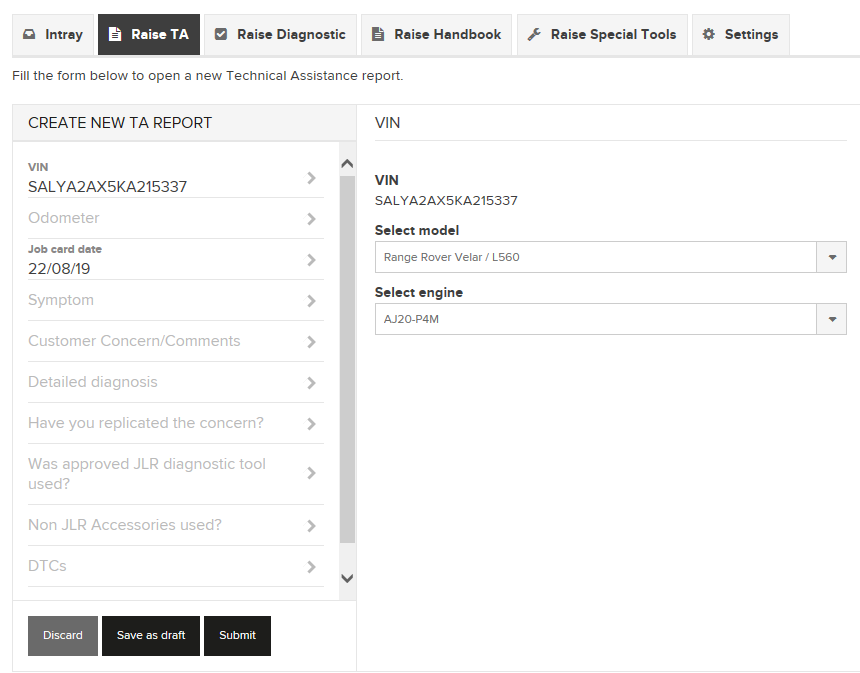
Technical Assistance (TA) The addition of Technical Assistance (TA) gives technicians the ability to send a TA report to GCM directly from TOPIx, enabling them to get the support they need, quickly and efficiently, without the need to open and log in to two separate systems. All updates on the progress of a ticket will be visible directly from a specialized inbox in TOPIx, including a full history of all the dialog and milestones for reference later.
When raising a new TA, technicians are asked to report both the symptoms and any customer concerns, as well as given the opportunity to provide a more detailed diagnosis of the reported issue. The aim is to provide the technician and GCM with the information required to achieve a “right first-time” repair without ever having to navigate away from TOPIx.
Key Features
- Technicians can now access Technical Assistance (TA) within TOPIx
- Create new TA's and review existing TA's
- Progress of a TA will be visible in a specialized inbox
- Stay ahead of time
IDU (Inline Diagnostics Unit)
Showcasing the latest key features for IDU
IDU (Inline Diagnostics Unit)
The IDU is a downloadable application that has been created to address the misdiagnosis of selected vehicles fitted with the AJ20 engine.
The technician will be interactively guided through the steps to perform the Noise Vibration and Harshness (NVH) Balance Shaft test procedure. When possible the system will move to the next step automatically.
The IDU test will monitor the vibrations of the engine to establish the condition of the balance shaft bearing. The diagnostic tool interfaces with the NVH sensor to accurately read and analyse the vibration signature of the engine.
Key Features
- Determine the condition of the balance shaft bearings
- Interfaces with the NVH sensor
- Solves misdiagnosis of engine issues

BMIS (Battery Management Information System)
Showcasing the latest key features for BMIS
BMIS (Battery Management Information System)
With the addition of BMIS (Battery Management Information System), TOPIx now displays historical battery test data, with new records added daily.
This data can be found in TOPIx under the ‘Battery Tests’ tab when viewing all vehicle details, and within this section you can find detailed information for each test completed for the specific vehicle loaded.
BMIS provides a centralised collection of battery test data and is designed to enhance battery management and improvements in processes and programs.
Key Features
- Battery test data can now be accessed from within TOPIx
- Displays historical battery diagnostic information
- New test data added daily
Software Over The Air (SOTA)
Showcasing the latest key features for SOTA.
Software Over The Air (SOTA)
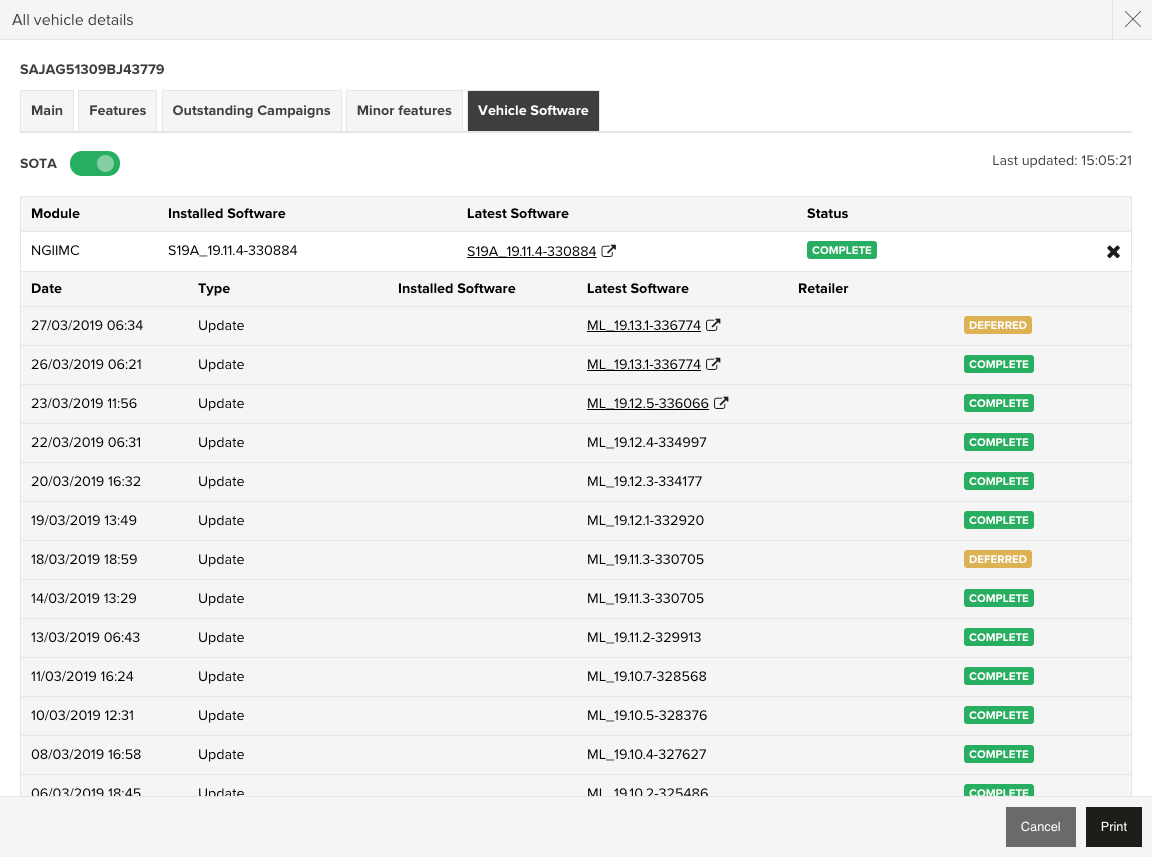
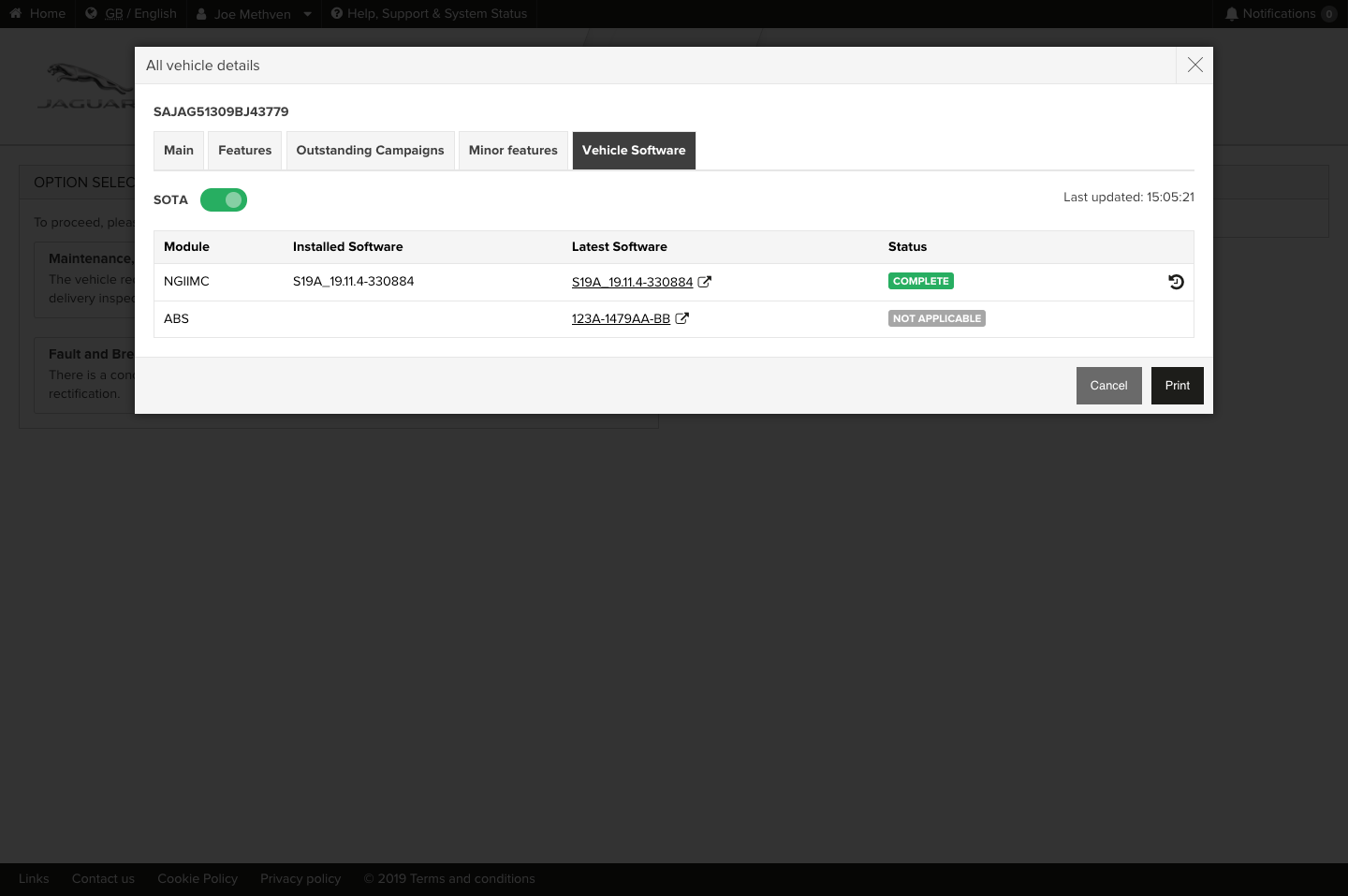
The addition of Software Over The Air (SOTA) completely revolutionises the way software updates are applied to vehicles. SOTA not only gives the technicians the ability to enable software updates on the vehicle remotely but also enables technicians to apply software updates, fast and effectively without the need of a physical connection.
SOTA acts as the delivery mechanism for software updates to vehicles. Its key benefits are speed and convenience. Historically it can take a significant period of time to perform a large software update but this is significantly reduced with the introduction of SOTA.
There are many software modules that shall be using SOTA as its default delivery mechanism in the future; however, this phase sees the introduction of the important NGI (Next Generation Infotainment) module and TCU (Telematics Control Unit) module. This also means from now onwards, vehicles will leave the factory SOTA ready for the owner's acceptance.
Key Features
- Significantly reduces software update procedure times
- Gives the technicians the ability to enable SOTA on the vehicle
- Enables the technician to apply SOTA updates
- NGI (Next Generation Infotainment) Module goes live
- TCU (Telematics Control Unit) module goes live

Curated Repairs
Showcasing the latest key features for Curated Repairs.

Curated Repairs
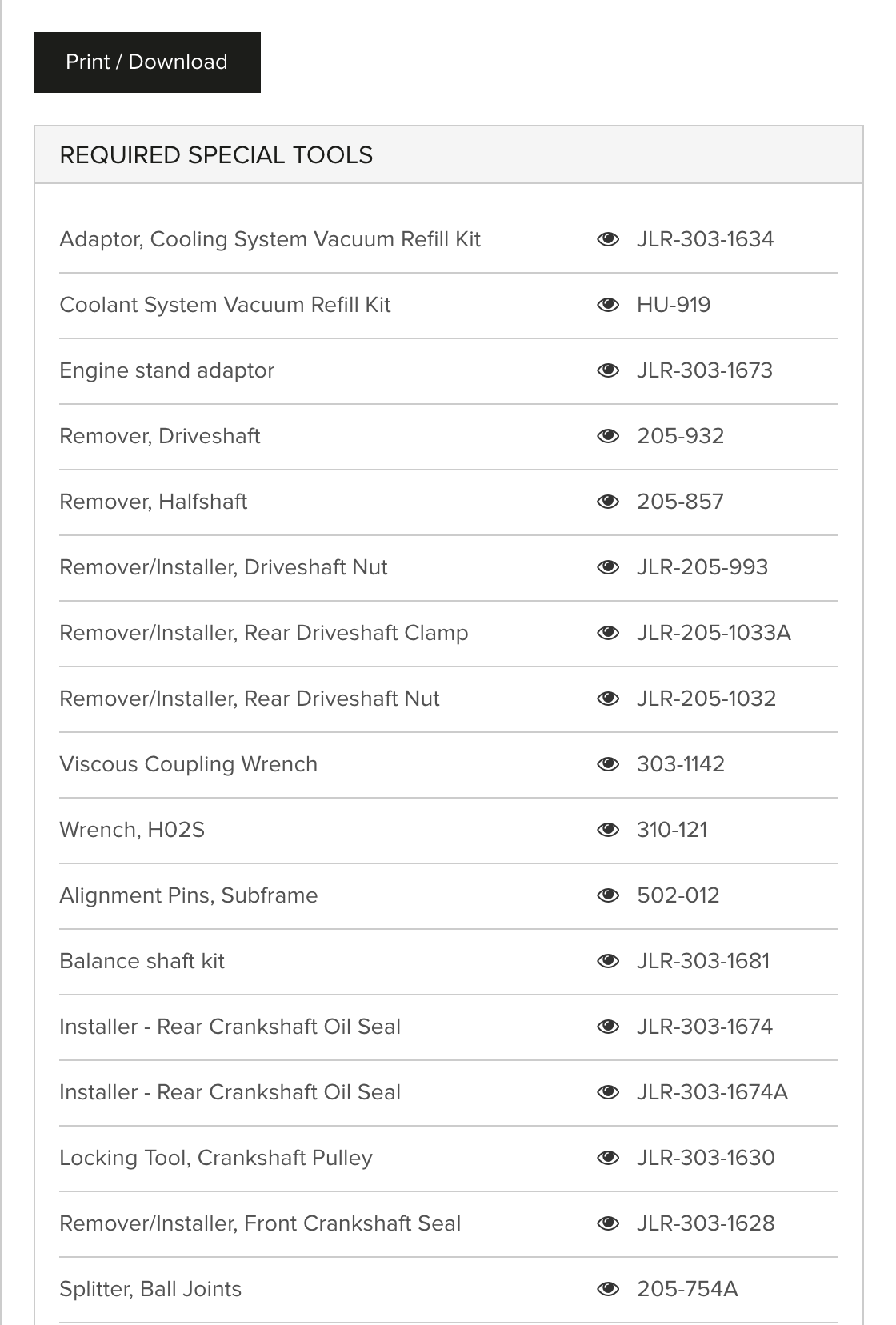
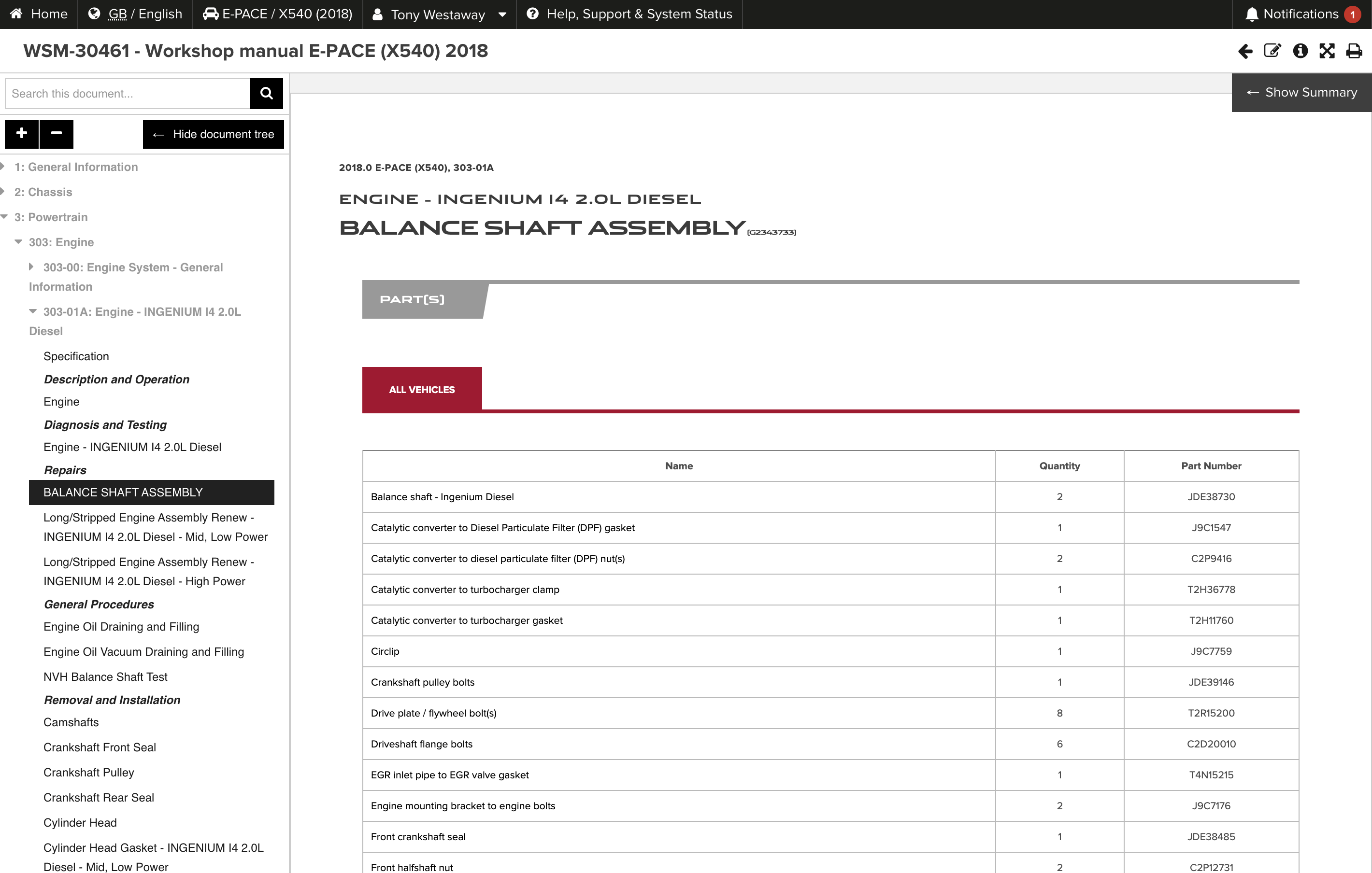
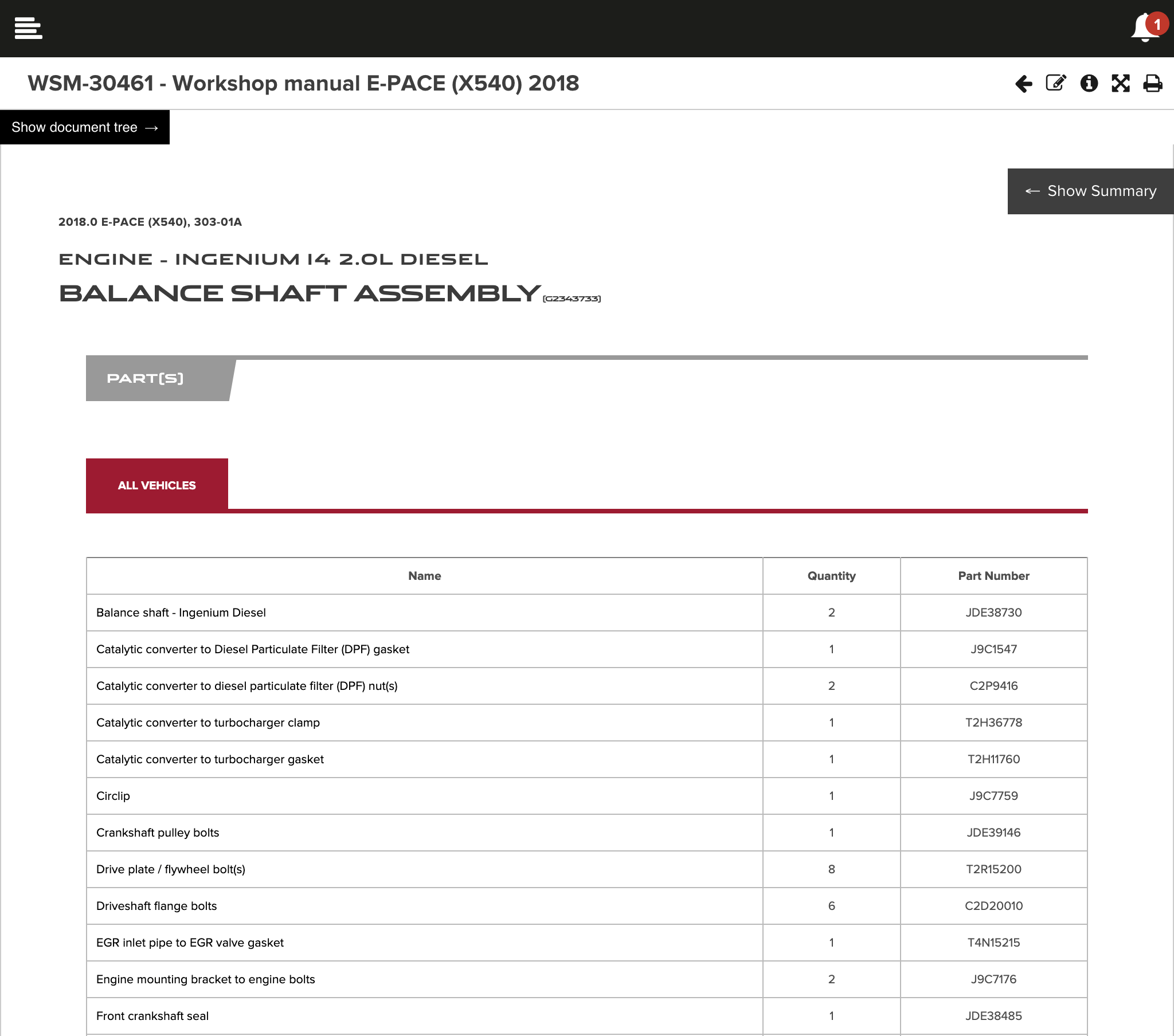
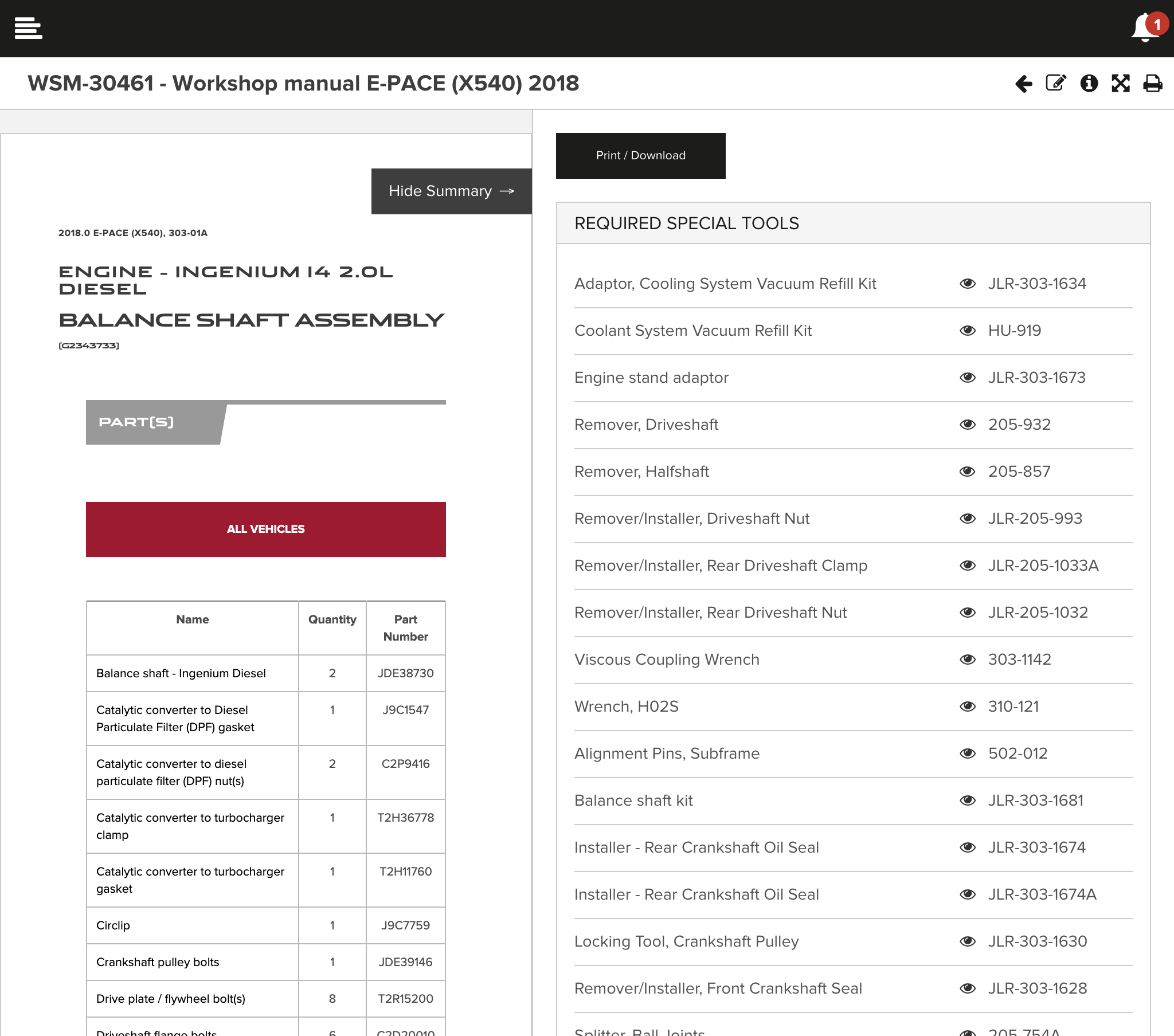
ARC Phase 4 sees the introduction of Curated Repairs. This powerful tool enables technicians to see the duration of a procedure and delivers a list of special tools and required parts to complete the task-in-hand.
The duration section details how long a procedure will take to perform in hours and minutes, giving technicians a greater overview. The required special tools/parts sections list all of the special tools/parts that are required to complete the procedure as well as their part numbers. It also provides the technicians with a preview of each special tool/part quickly and efficiently. The required parts section also details the quantity.
Curated repairs introduce the ability to print off the list of special tools/parts easily.
Key Features
- Provides a list of the required special tools including name and part number
- Provides a list of the required parts including name, quantity and part number
- The list of special tools/parts can be easily printed
- Special tools/parts can easily be previewed
TOPIx ARC Phase 3
Showcasing the latest key features for Phase 3 delivery.
Feedback on Content
After the introduction of the newly unified Help, Support & System Status area, we now see the Feedback on Content feature come to life. The Feedback on Content feature enables technicians to provide enhanced feedback on any screen of TOPIx, whether looking at a document or not!
With a new guided flow to help technicians take a screenshot on whichever device they’re using TOPIx on, there is also the ability to highlight specific areas of a screenshot or black out sensitive information. This enables users to provide more accurate feedback by locating the problem points visually, which really helps the content authoring team to understand the issue.
This feature also sees the introduction of a new and improved RTS Feedback form, which now gives the user the option to attach supporting files, as well as automatically populating key data to save the technician time.
Key Features
- Technicians can provide more accurate feedback thanks to a guided flow to attach screenshots
- Ability to highlight key areas on the screenshot to pinpoint problems
- Ability to black out sensitive information on the screenshot
- RTS Feedback form improved with new options and pre-populated informatio


Notification Centre
The latest TOPIx software update sees the introduction of an important new feature - The Notification Centre. By design the notification centre is a central place where multiple event sources come together. As part of the site header, it can be accessed from anywhere in the system and acts as an information source for activities that may be valuable to the user.
Currently, the notification centre displays only newly published documents and notices, however in the future this will be extended to include other notification types such as for inbox messages and status updates on vehicle repairs.
All of the notifications are grouped by days, and presented in reverse chronological order to keep you up to completely up to date. Clicking on any notification will take you straight to the relevant information.
Help, Support & System Status
The addition of the Help, Support & System Status button in the toolbar introduces a new and unified way to access any kind of support or provide any kind of feedback you require. Replacing the historic and limited page-based help, this new solution presents the user with the option to access key areas of support, quickly and effectively.
Users will be able to directly access the following four areas; Technical Assistance, Feedback on Content, Support Helpdesk and System Status.
System Status
The first feature rolled out will be a new overview of the status of TOPIx. This will provide live updates as to whether there are any known issues affecting the performance of TOPIx, or impacting certain functionality. It also allows users to analyse how strong their web browser and internet bandwidth speed are in terms of compatibility with TOPIx.
All of this information combined is fundamental in giving real-time insights into how TOPIx is operating and advising users of ways in which they can improve their TOPIx experience.
Technical Assistance (coming soon!)
New to TOPIx will be the ability to log a TA request directly from TOPIx that will be sent to GCM. Any updates on the progress of the ticket will be visible directly from a specialised inbox in TOPIx. More details coming soon…
Feedback on Content (coming soon!)
Providing feedback on document content is being completely revamped. Users will now be able to use an integrated tool to highlight areas on the screen they want to leave feedback on to really help the content authoring team to understand the issue. More details coming soon…
Support Helpdesk (coming soon!)
A knowledge base of frequently asked questions will be on hand to users for quick and easy access to answers for some of the most common issues other users encounter. This section will be continually updated with an aim to helping all users find the support they need without having to pick up the phone. More details coming soon...


Phrase suggestions
ARC Phase 3 sees the introduction of Phrase suggestions. This powerful tool enables technicians to get the information they need to find more effectively and efficiently by simply beginning to type a term into the search.
The purpose of Phrase suggestions is to improve the user experience, so that when someone begins entering a search term it is possible for TOPIx to predict what that user is going to type, and thus complete the entry for the user.
Instead of the traditional method of searching for just keywords, Phrase suggestions offers advancements and puts terms into the context of real content and repair procedure titles. For example, typing “engine” might trigger suggestions such as “Engine - removal”, “Engine - installation”, or “Engine oil - Draining and Filling”.
Key Features
- Save time by only typing part of a search term and letting the prediction engine do the rest
- See suggestions based on the content from real data
- Phrases update as new content is added to TOPIx
Intelligent search
The focus of ARC Phase 3 is the search process and incorporating methods of refining the search, known as ‘intelligent searching’. This means that the search results you see are tailored specifically to your vehicle, market and the type of user that you are, as well as what actions you have chosen to perform on the vehicle.
So if there are two users accessing the same vehicle, for example, a technician that usually performs fault diagnosis, and an administrative clerk that often books in a vehicle and prints out a service checksheet, the two users are likely to get completely different search results as TOPIx will take all the contextual information into account to provide more intelligent search results, allowing faster access to the data a user is more likely to need.
Key Features
- Truly intelligent search results based on how you generally use TOPIx to view content
- Less clutter as content not applicable to your activity is removed
- Contextually specific content for your vehicle, market and user role is promoted


Search Results
The Search results page has been completely revamped in phase 3, with the focus on the dedicated search results page. This page gives the user more configuration options which enables them to refine the search and thus provide more accurate results.
Combined with the Intelligent search, the search results page includes an option to filter the results by relevance, most views, most keywords and most recent. As well as an additional timescale filter for documents that have been added; anytime, the past week, the past month or the past year.
The global reference number or the procedure section code is also included to give greater context to what section the result is from.
Key Features
- See all types of content in one easy list of search results
- Greater control over the sorting of search results, with intelligence automatically applied to bring the content you’re more likely to need to the top
- Ability to see only content that has been added or updated most recently
Popular Articles
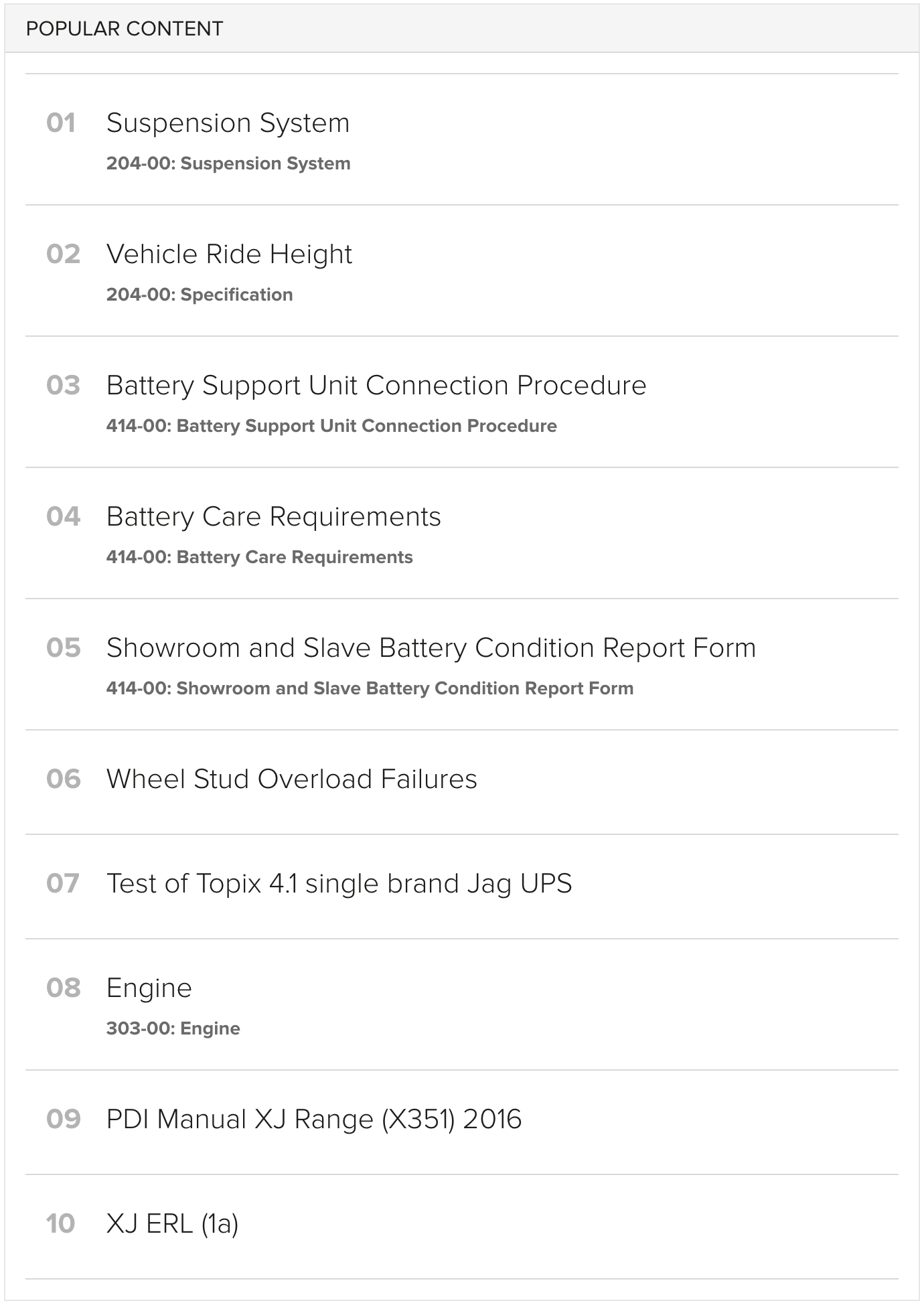
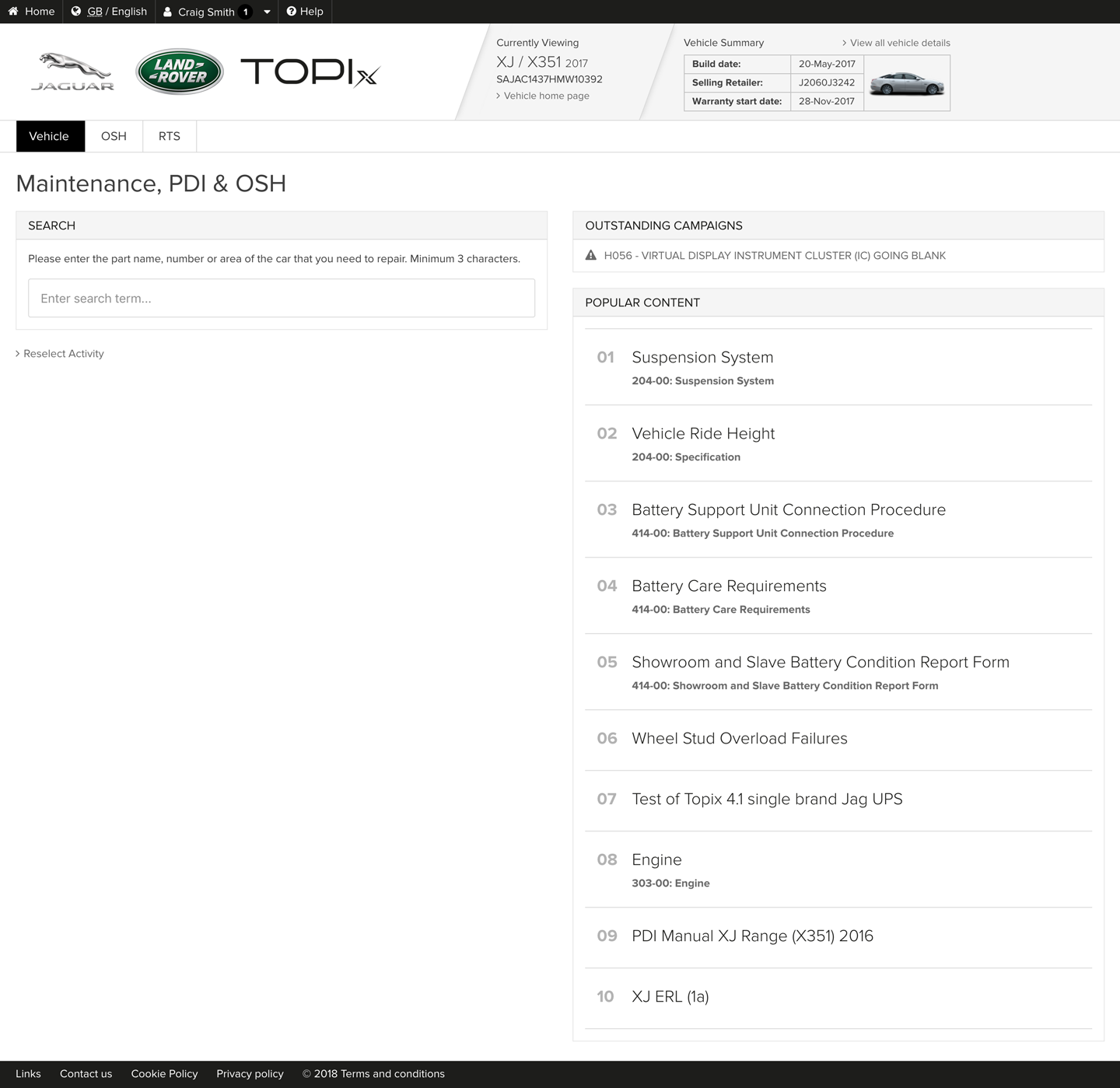
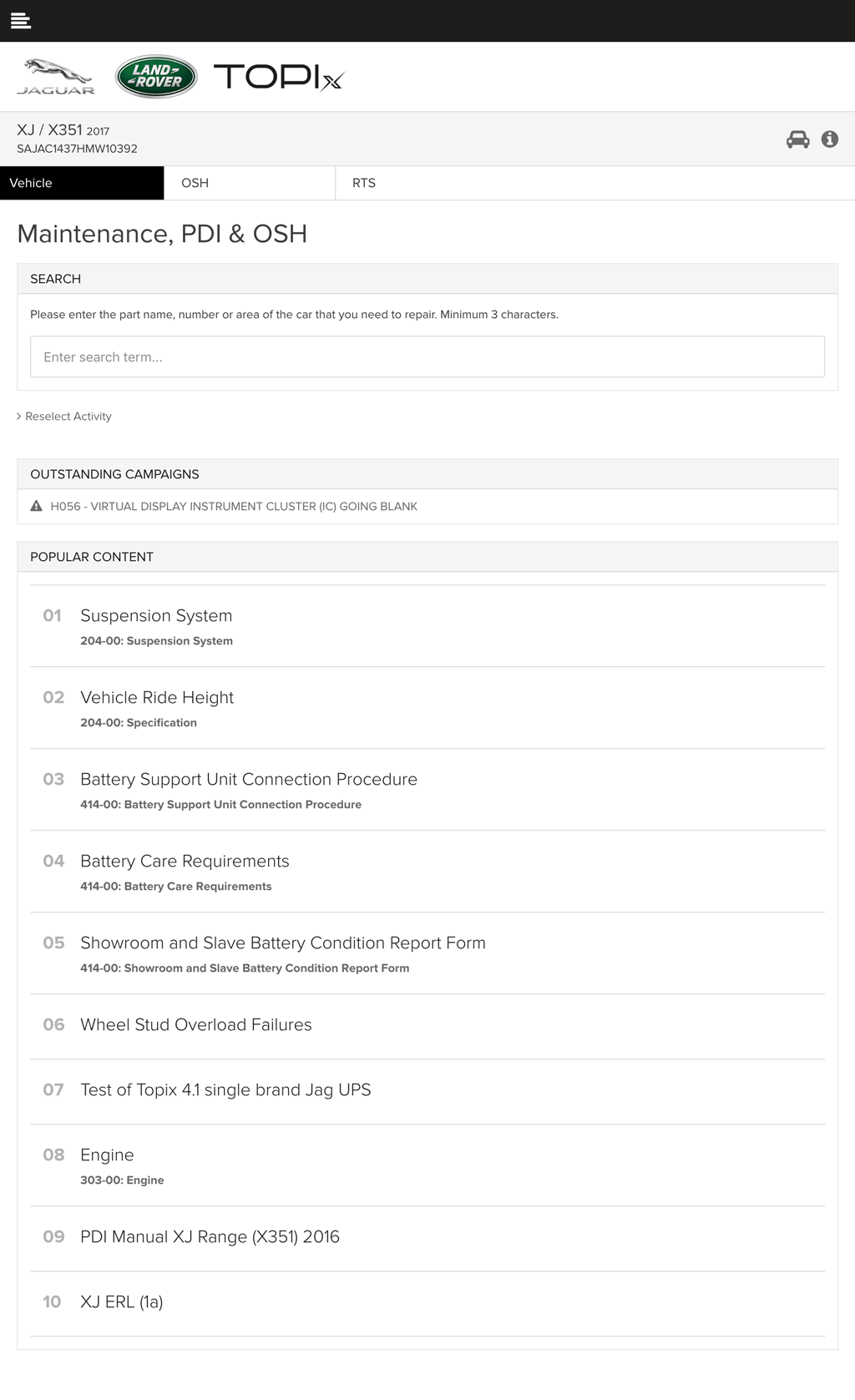
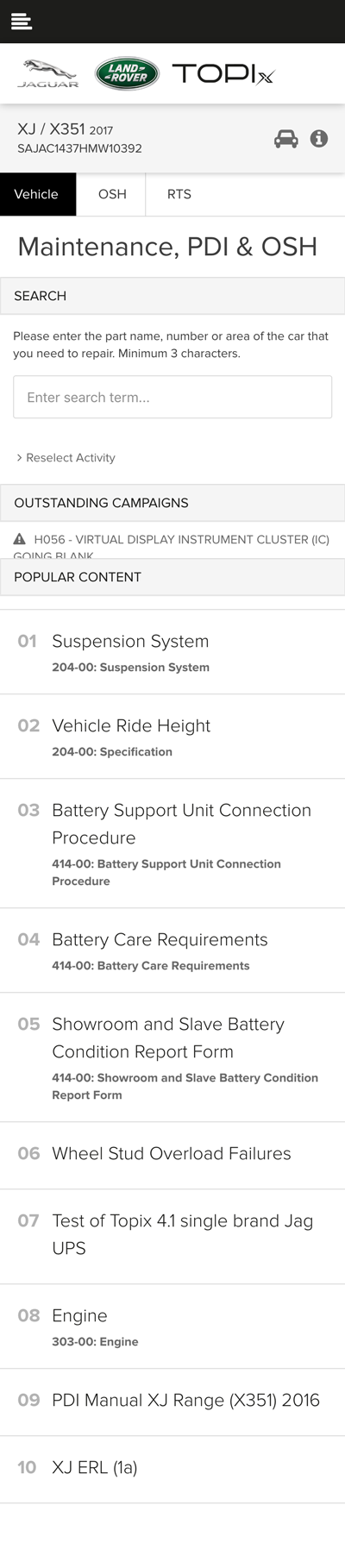
Popular articles is another key feature of the ARC Phase 3 implementation. Popular articles is a new section on TOPIx to help bring trending content to the user before a search is even performed. This shows the content that is currently being viewed most for the vehicle that has been looked up, in the context of the market and for the type of user you are.
Showing information in this way then allows TOPIx to gather intelligence on how technicians are using the system around the world, and helps to identify key problem areas and possible areas for improvement as well as providing the correct and most up-to-date information directly to the user.
This feature is self-governing as the content’s popularity then determines its own position on the list, and therefore makes it more accessible.
Key Features
- See trending content for your vehicle, market and user type before even performing a search
- Get to the data you need more quickly for common problems
- Live updates based on what technicians are viewing in real time

TOPIx ARC Phase 2
Showcasing the latest key features for Phase 2 delivery.
Retailer Vehicle Park
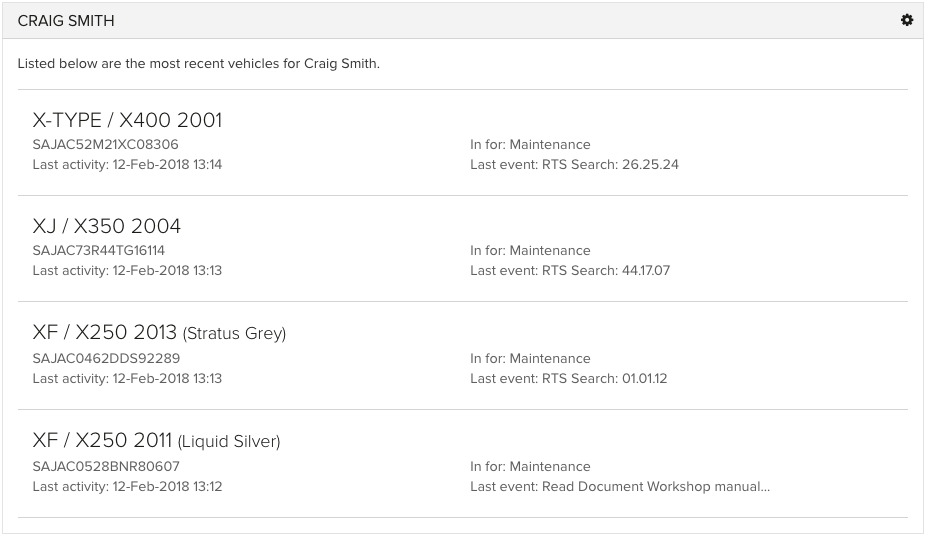
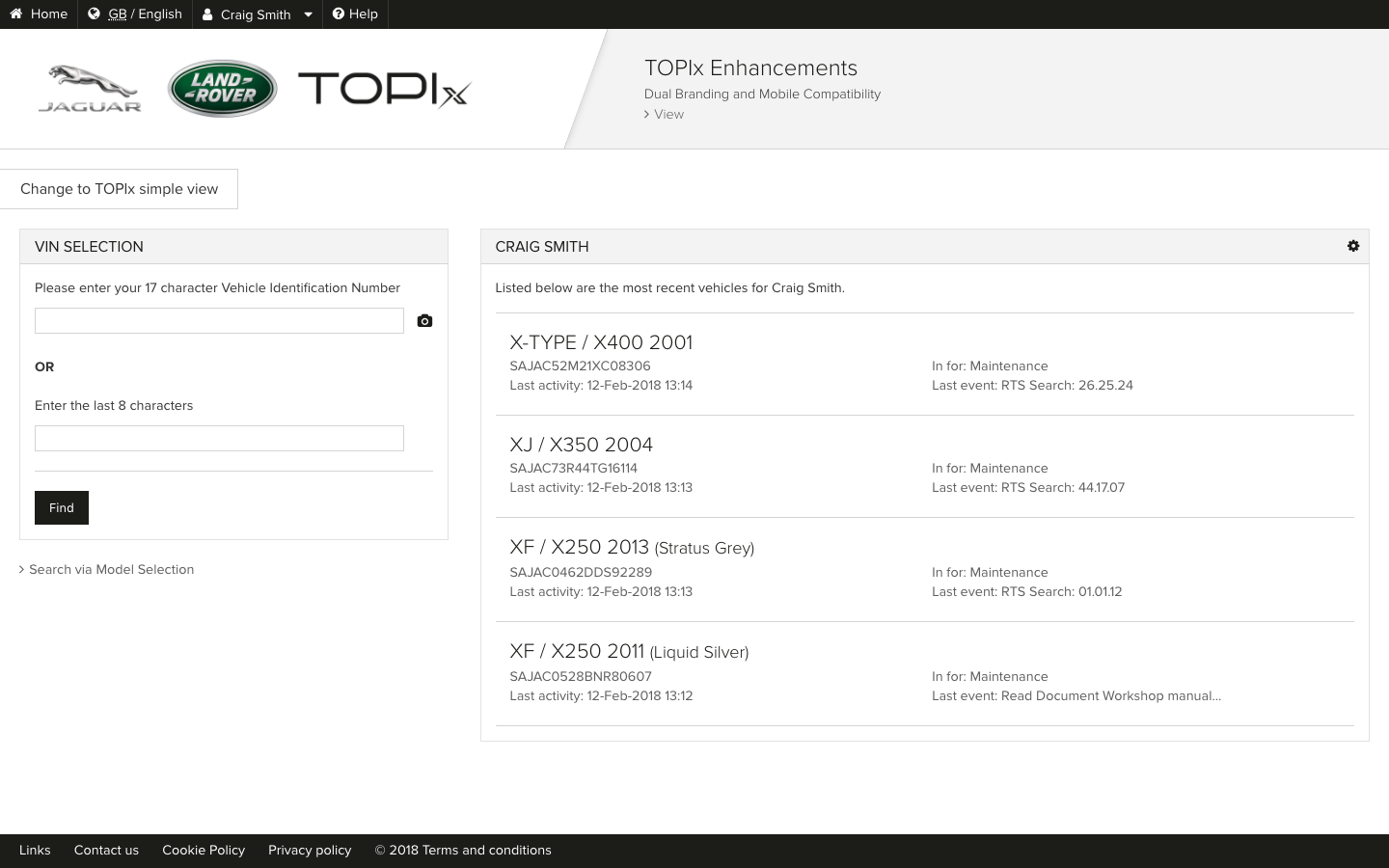
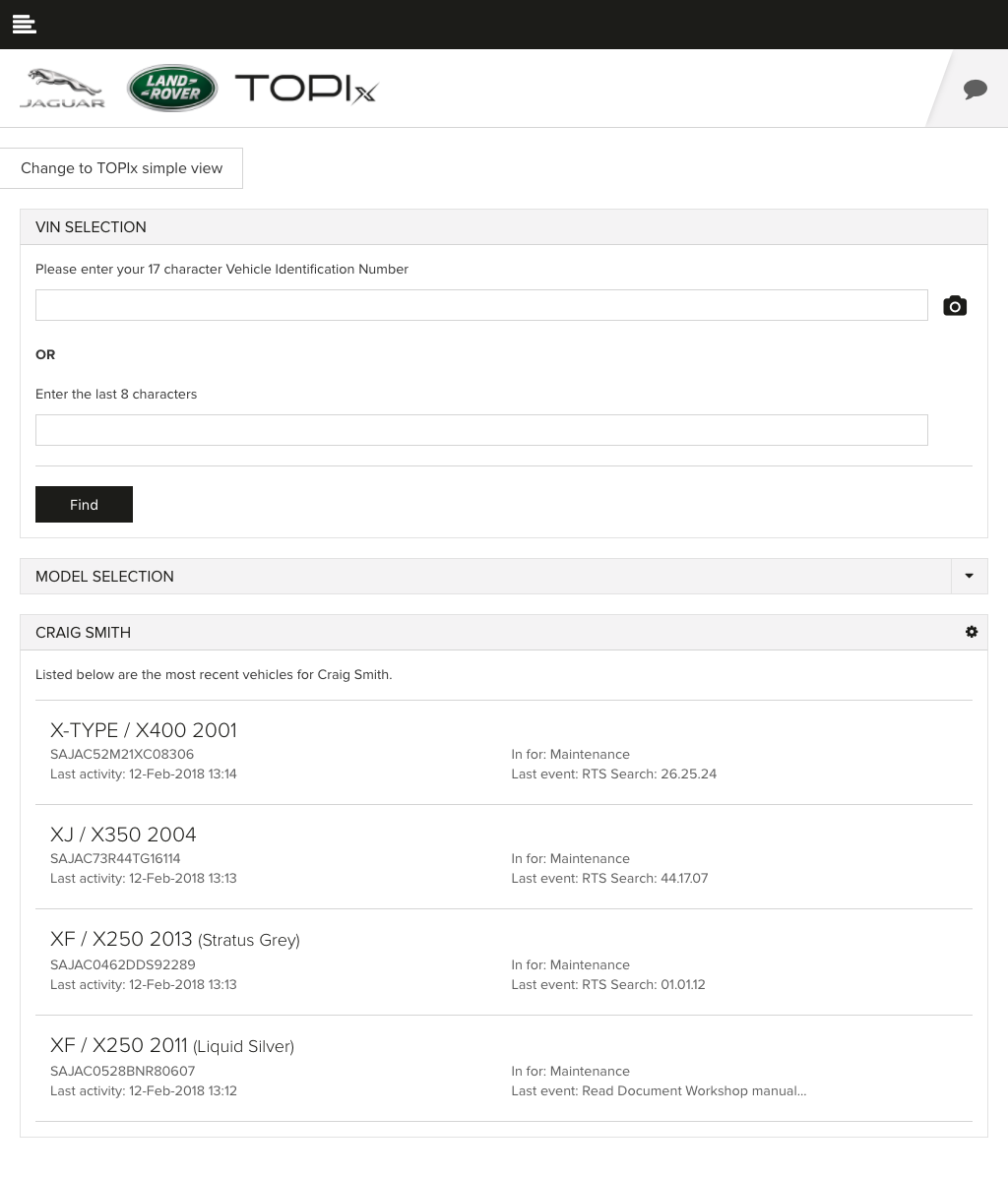
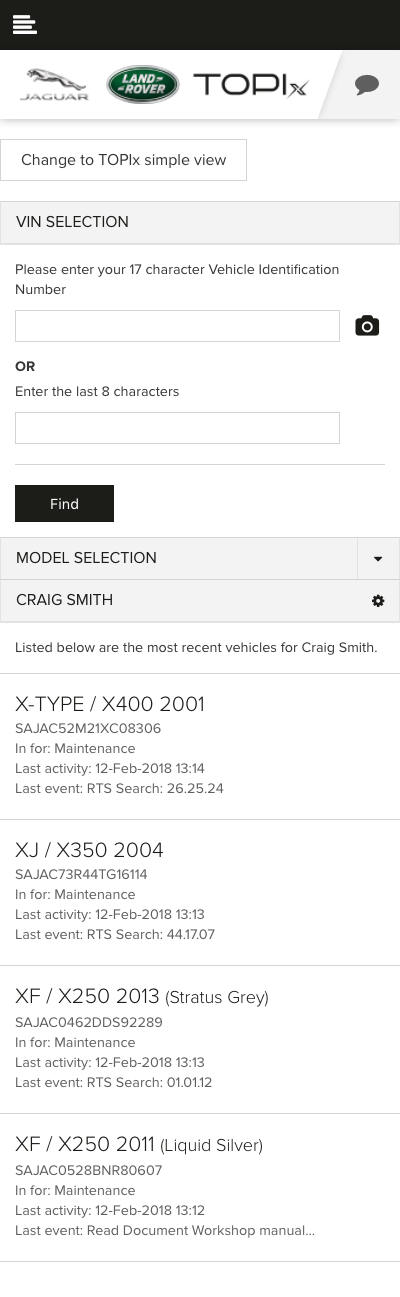
ARC Phase 2 sees the introduction of "Retailer Vehicle Park". This section has been designed specifically with the end user in mind, to provide easy access to view vehicles within the current retailer.
This view allows the end user to quickly select a vehicle, which may have been worked on previously (in a given time frame) or a vehicle that has just arrived and entered into TOPIx. It also provides a status of all vehicles within the retailer without the need to enter a VIN manually every time.
The "Retailer Vehicle Park" provides vital information to the end user that is associated with the vehicle, for example, the last event performed along with the the date and time of the activity.
Key Features
- Vital Vehicle Information: Model, Model Type, Year, Colour and VIN
- Timestamp of last activity
- Details associated with car's status or issues
- Details of the last event performed on the car
- Reducing the need for technicians to enter numerous VINs


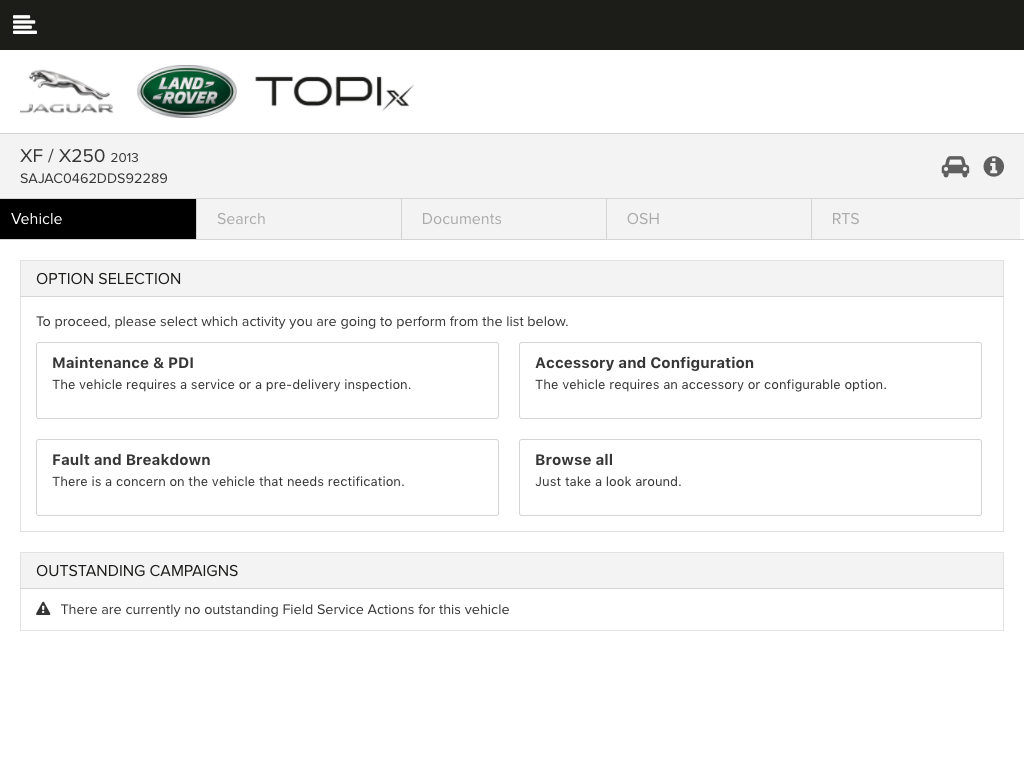

Technician Repair Workflow
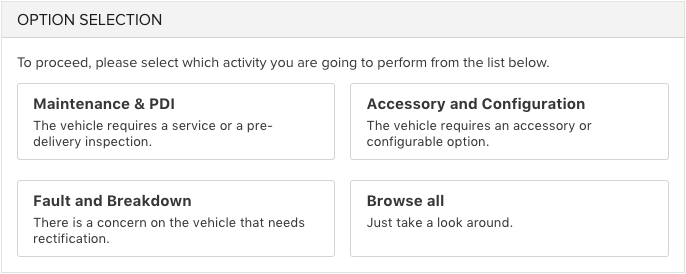
ARC Phase 2 introduces the first iteration of "Technician Repair Workflow". This section (in later phases) will remove information which is not relevant to the repair type selected. Using machine learning TOPIx will be able to quickly display only the relevant information.
These four event types will direct technicians more efficiently through TOPIx by determining targeted information based on VIN, Event type and any other additional information learned.
Key Features
- Drive the end user to specify the task required
- Direct access to PDI & Maintenance (Service)
- Direct access to Accessory & Configuration
- Direct access to Fault & Breakdown (Repair)
- Direct access to Browse and Search